servi for shops
Your whole shop.
One simple system.
A till made for scanning, one product list with stock per shop, deals, labels, gift cards and returns. Set it up yourself, switch on what you need.
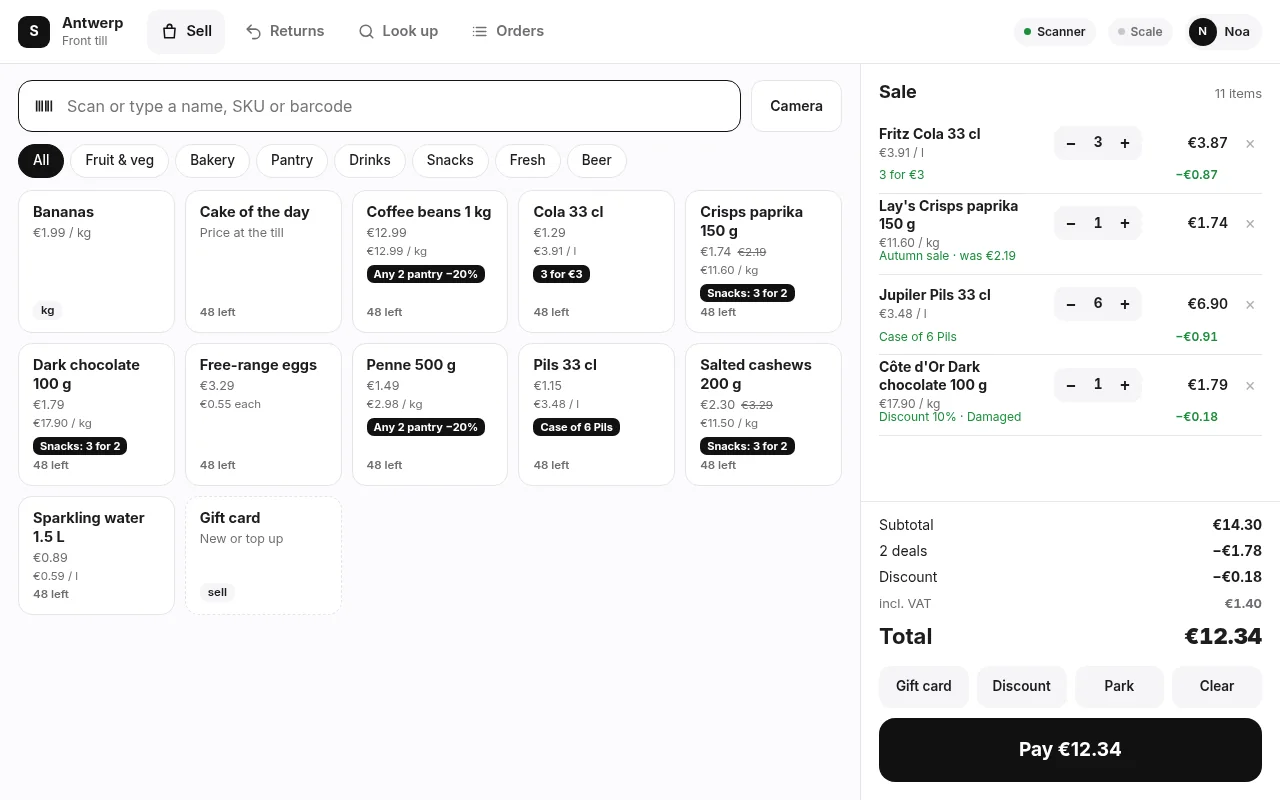
Set it up yourself
Add your products, pair your till with a code and start selling.
Starts from your kind of shop
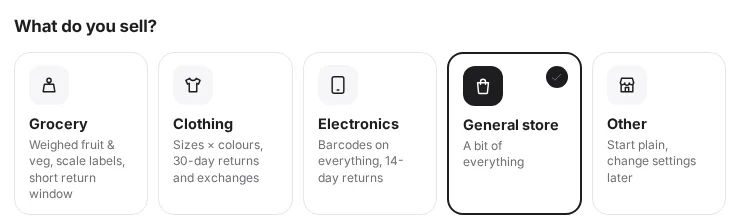
Pick what you sell when your shop is set up, and the settings start to match.
Your money, your accounts
Connect your own SumUp or Stripe. Payments go straight to you.
Switch on what you need
Every feature is a setting. Start with the till, add stock, labels or deals when you're ready.
Everything your shop runs on.
One product list, one set of sales and one back office, for one shop or several.
Shop till
A till made for scanning. Sizes, weights, deals and markdowns work themselves out.
Learn more ›Till pages
Your own pages of product tiles, with brands, pictures and a search for name, brand or barcode.
Learn more ›Card payments
Your own SumUp or Stripe card reader at the till. The money goes to you.
Learn more ›Gift cards & returns
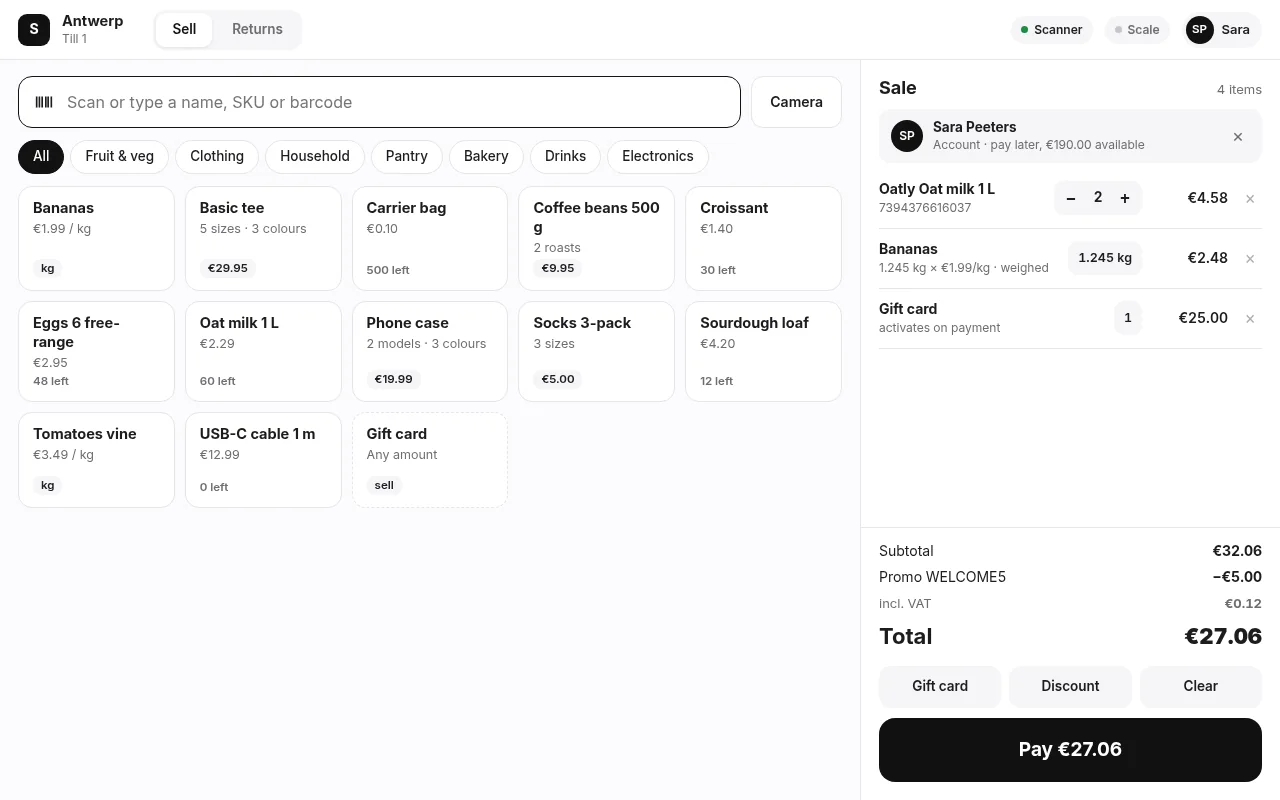
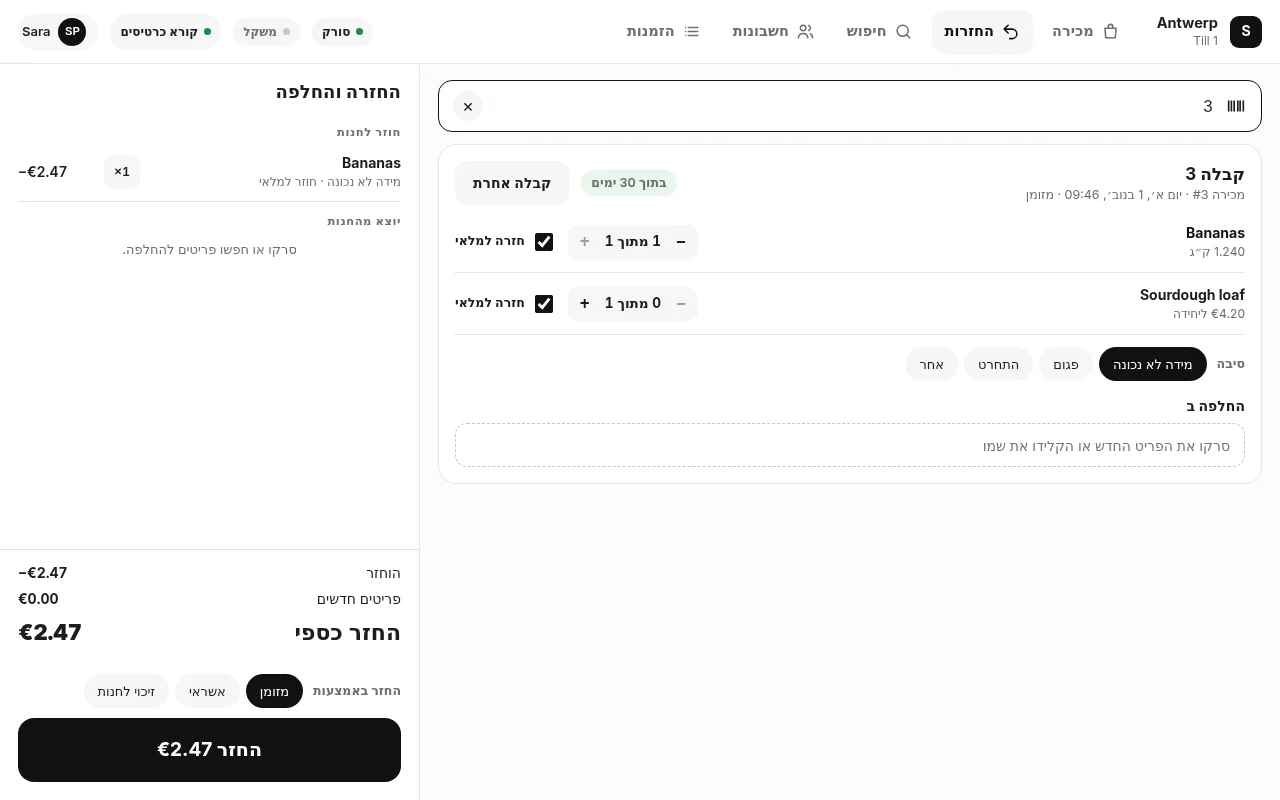
Sell gift cards at the till. Returns and exchanges in a few taps, with rules you set.
Learn more ›Products & labels
One product list with sizes, colours and barcodes. Shelf labels, stickers and hang tags from it.
Learn more ›Stock, transfers & counts
Stock per shop, transfers between shops, counts on a phone, and suppliers.
Learn more ›Deals & price changes
Deals the till applies by itself, markdowns with the right “was” price, and price changes planned ahead.
Learn more ›Back office
Products, stock, prices, team and devices. On a laptop or your phone.
Learn more ›Reports
Gross profit per day, margins by category and brand, dead stock and stock value, per shop.
Learn more ›Accounting & branches
Daily sales, VAT and payments for your bookkeeper. Every shop in one view.
Learn more ›Hardware for shops
Scanners, scales, receipt and label printers. iPads print with no extra box.
Learn more ›Made for your kind of shop.
When your shop is set up, pick what you sell: grocery, clothing, electronics or a general store. Weighed items, sizes and colours and the return window start to match. Every setting can be changed later.
Groceries & supermarkets
Weigh fruit and veg at the till or scan the price label from your scale. Unit prices per kg or litre, deals like 3 for 2, and reduced stickers for items near their date.
Bakeries
Sell by the piece or by weight, with pictures on your till tiles so staff find the bread at a glance. Mark down what's left at the end of the day.
Toys & gifts
Barcodes on everything, gift cards, gift receipts without prices and exchanges in a few taps.
Clothing
Sizes and colours with their own barcodes, hang tags from your product list, and 30-day returns and exchanges to start with.
Electronics
Variants like storage and colour, a barcode on every item, 14-day returns and a manager's OK above your discount limit.
General stores
A bit of everything. Start plain and switch on deals, labels, stock counts or gift cards when you need them.
Up and running in three steps.
Add your products
Sizes, colours, barcodes, cost and price in one product list. Each shop keeps its own stock.
Pair your till
Open the till on a tablet or a computer and enter the pairing code. Add a scanner, a scale and a receipt printer in Settings → Hardware.
Switch on and sell
Turn on what you want: deals, gift cards, labels, stock counts, customer accounts. Change it any time.
Scan it, sell it, see it.
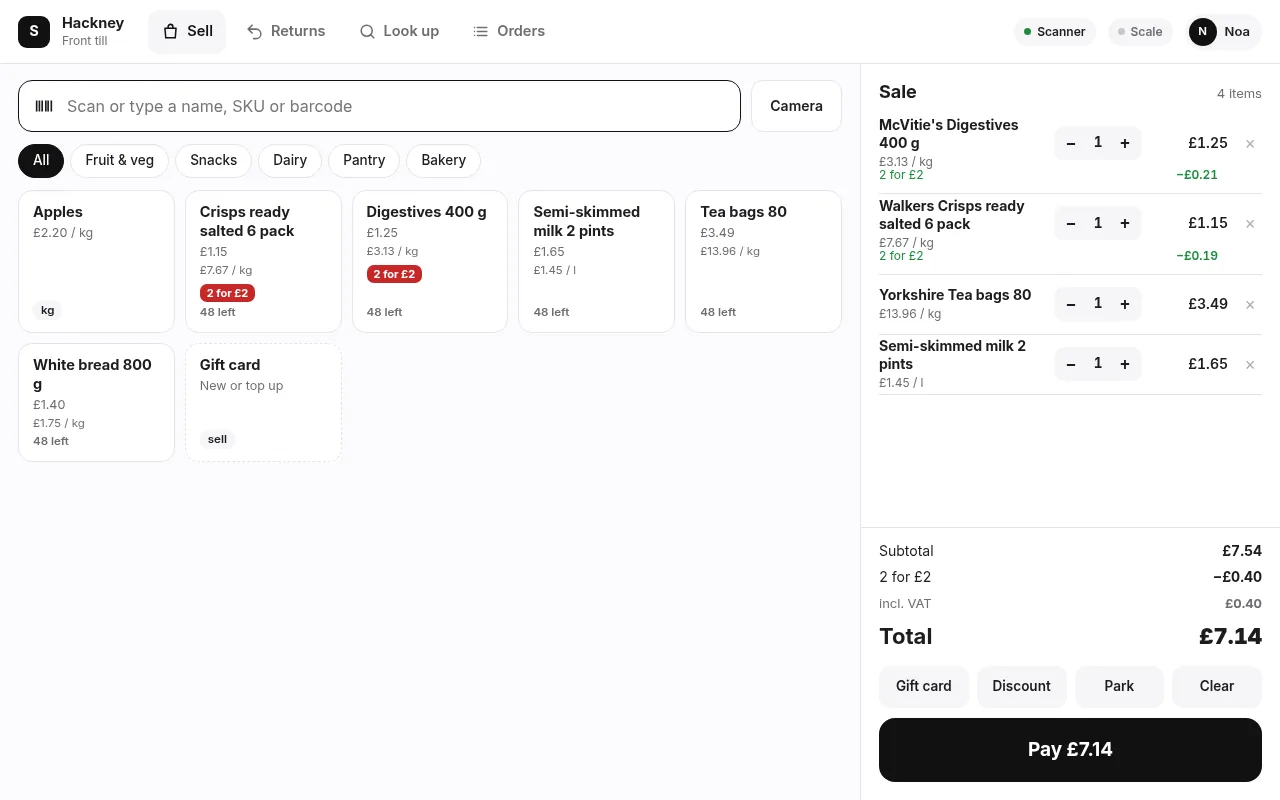
Scan at the till and the deal applies itself. Returns take a few taps. The till works in your currency and your language, right-to-left included.
Questions, answered.
Do I need special hardware?
No. The till runs on a tablet or a computer. Add a barcode scanner, a scale, a receipt printer with a cash drawer, a label printer or a card reader when you want them.
Can I sell by weight?
Yes. Weigh loose items at the till, or scan the price or weight barcode on your scale's label, in your country's format.
Which card readers work?
Connect your own SumUp or Stripe account. The till sends the amount to the reader and the money goes straight to you.
I have more than one shop. Does that work?
Yes. One product list for the whole business, stock kept per shop, transfers between shops, and all your shops side by side.
Is it only for Belgium?
No. Currency, tax rates, units and barcode label formats are settings per business, so servi works wherever you are.
I also run a restaurant. Can I use both?
Yes. A shop and a restaurant are two separate businesses in servi, each with its own till and back office, so nothing gets mixed up.
How much does it cost?
Book a demo and we'll walk you through the pricing for your shop.
Ready when you are.
Tell us about your shop and we'll show you servi with your own products.