Counter & till
Built for a busy counter. Fewer taps, fewer pop-ups, and it keeps working when the Wi-Fi doesn't.
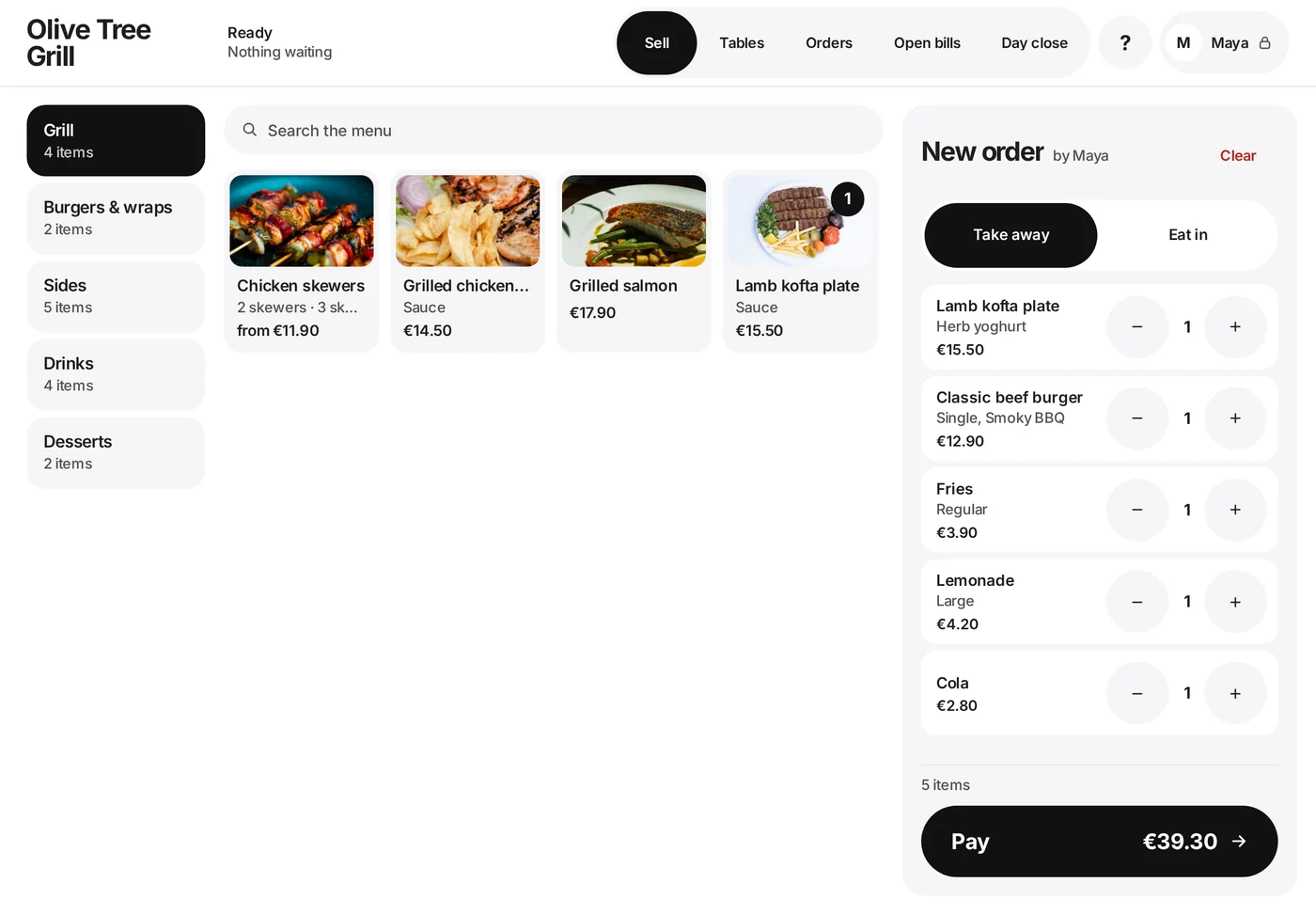
Fast at the counter
Tap items, pick options, see the order build up. Run as many tills as you need — they all share the same orders. The same till runs on a phone, handy for a terrace or a busy night.
- Multiple tills, one set of orders
- Works on a tablet or a phone
- Orders from kiosk and online show up too
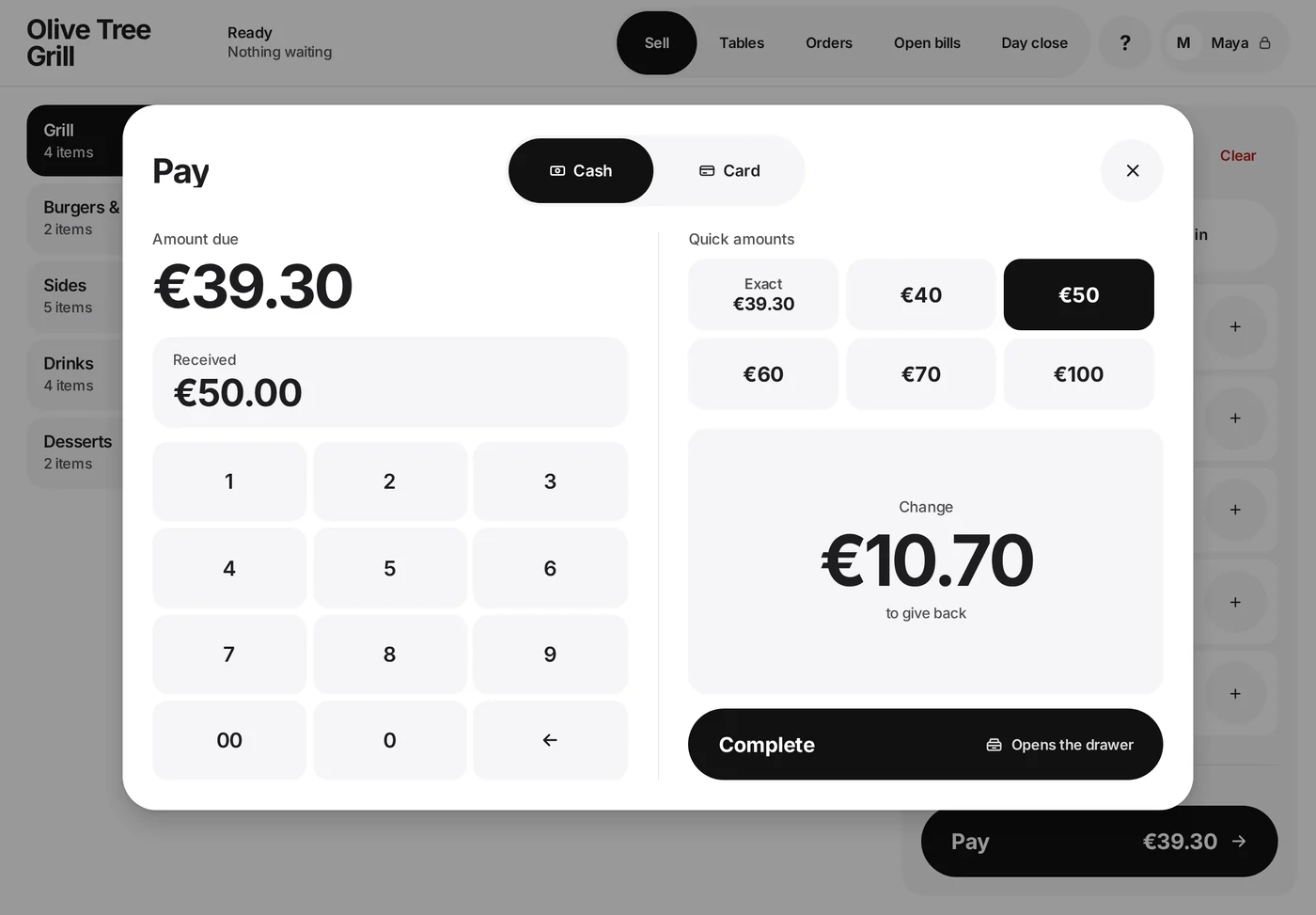
Cash, with the change worked out
Quick amounts for the notes guests actually hand over. The change is shown big and clear.
- Quick cash buttons
- Cash drawer opens on cash sales
- Day close with cash totals per till
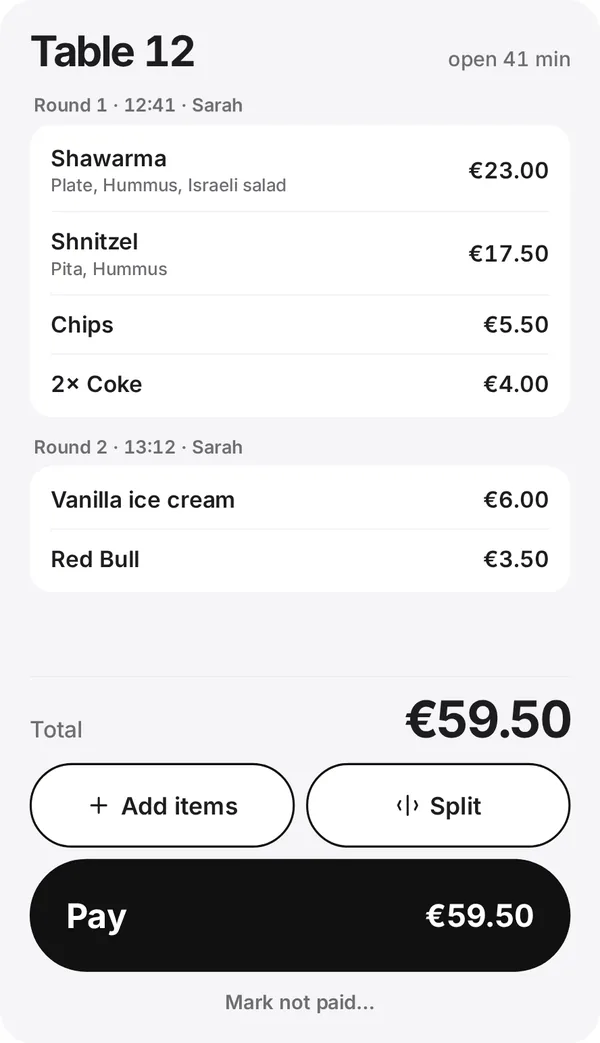
Open bills, pay later, split
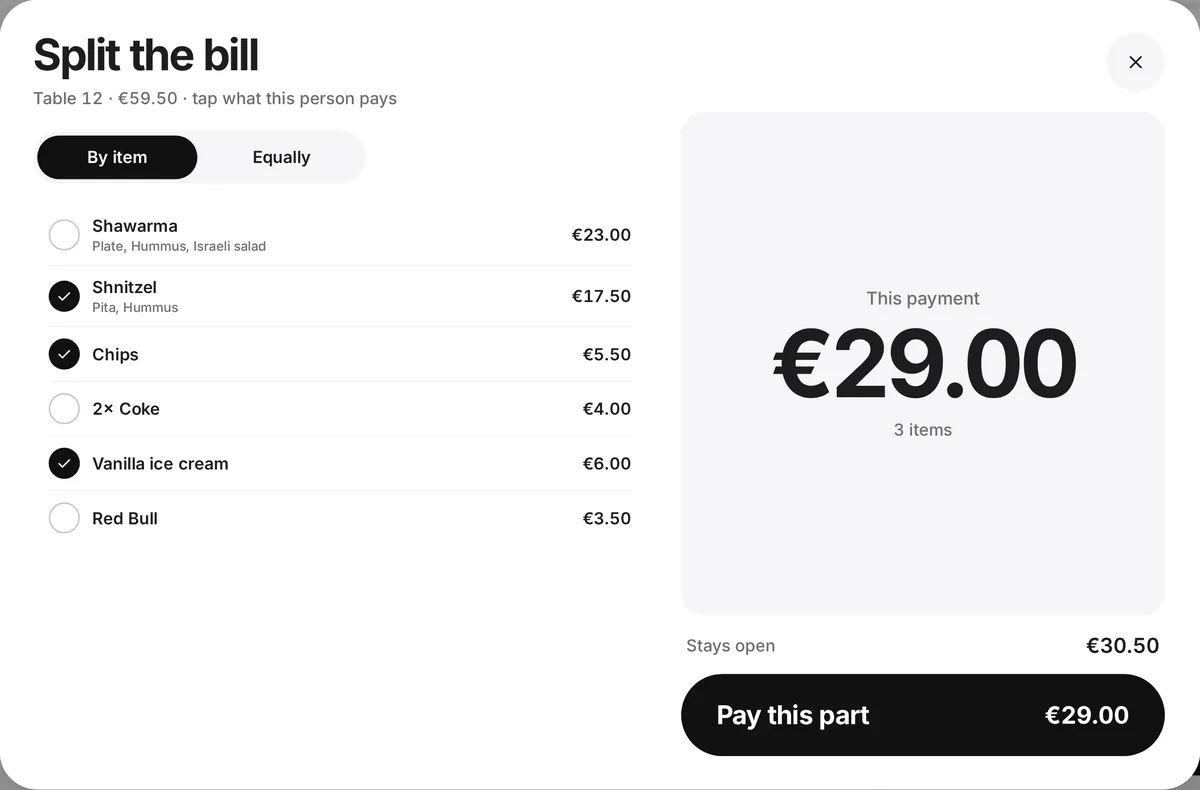
Keep a bill open for a table, a name or a buzzer, and add rounds as they come. When it's time to pay, split it by item or equally, and take each part by cash or card.
- Pay later: the order goes to the kitchen now
- Split by item or equally
- Walk-outs need a manager PIN
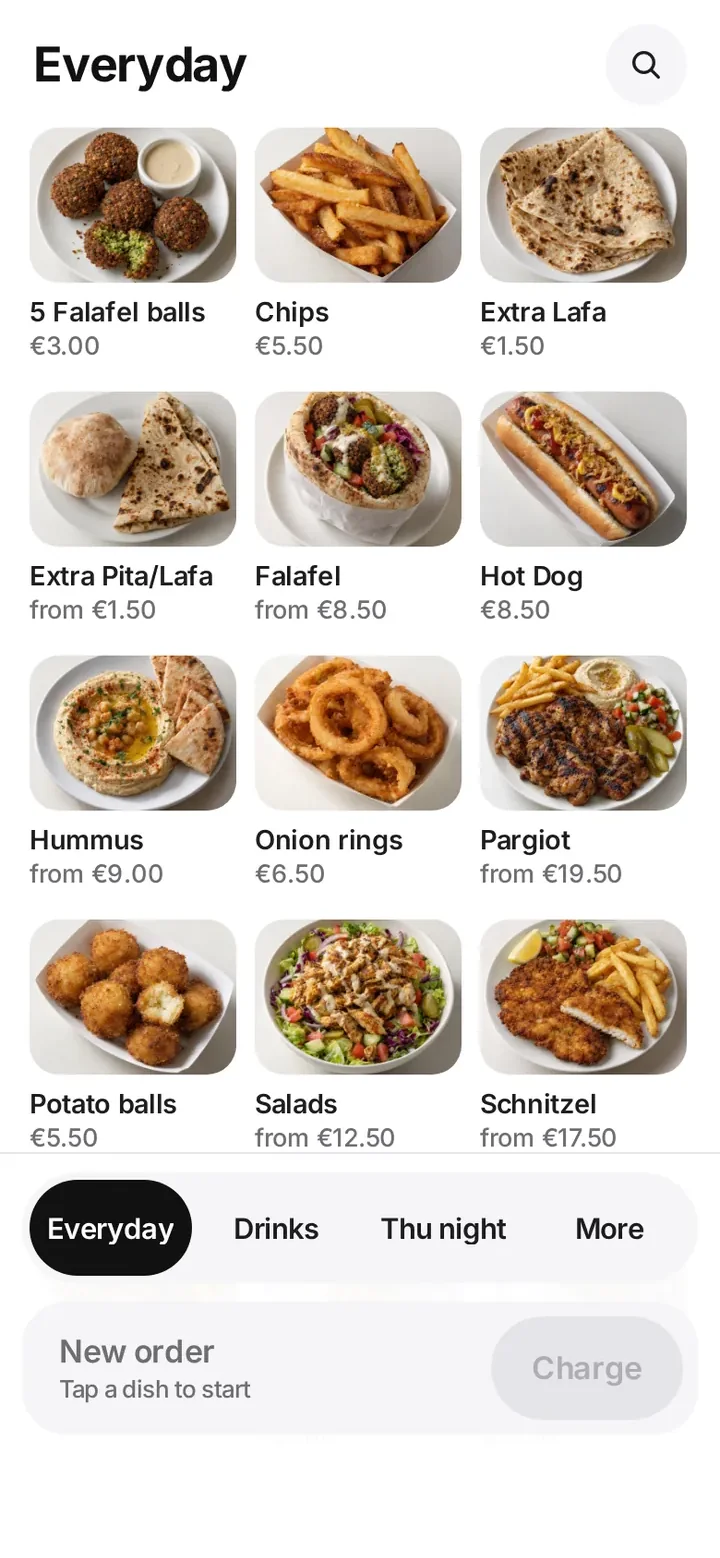
Your own tiles, your own layout
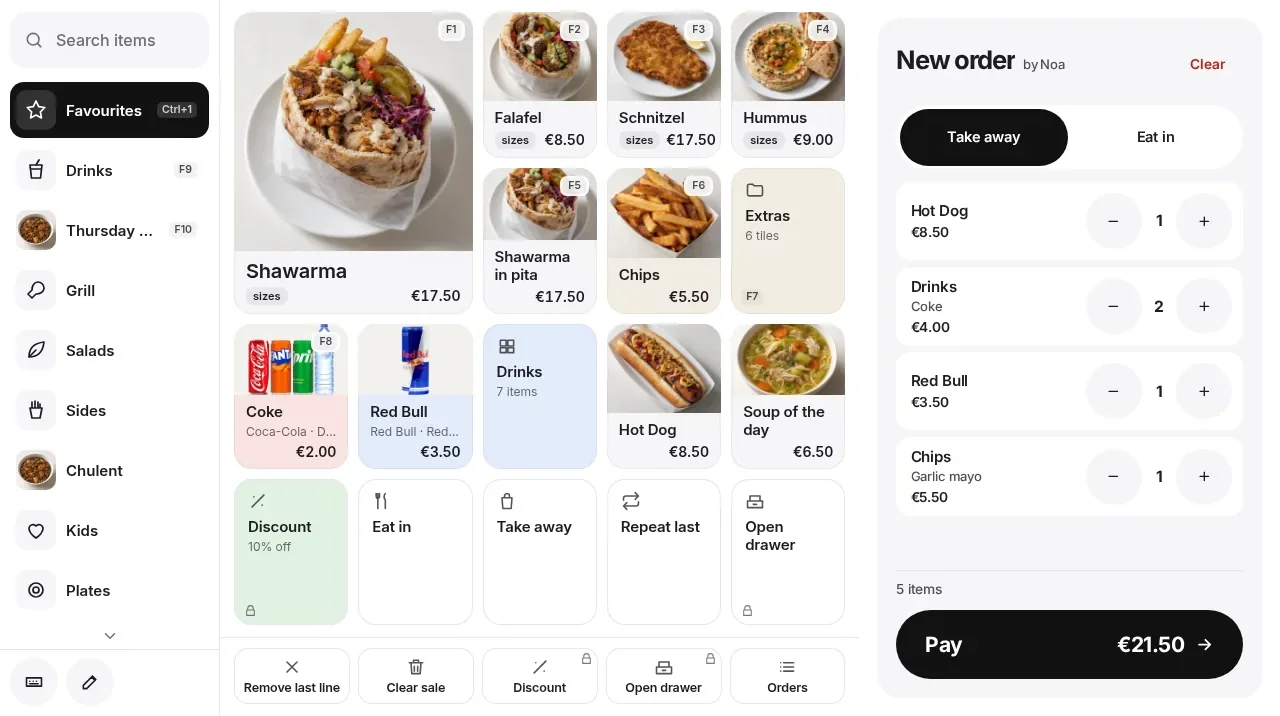
Switch on Till pages for your own pages of tiles with pictures, a search box that's always there and a grid that fits each screen.
- Pages with pictures
- Search by name or item code
- A layout per till
Undo instead of “Are you sure?”
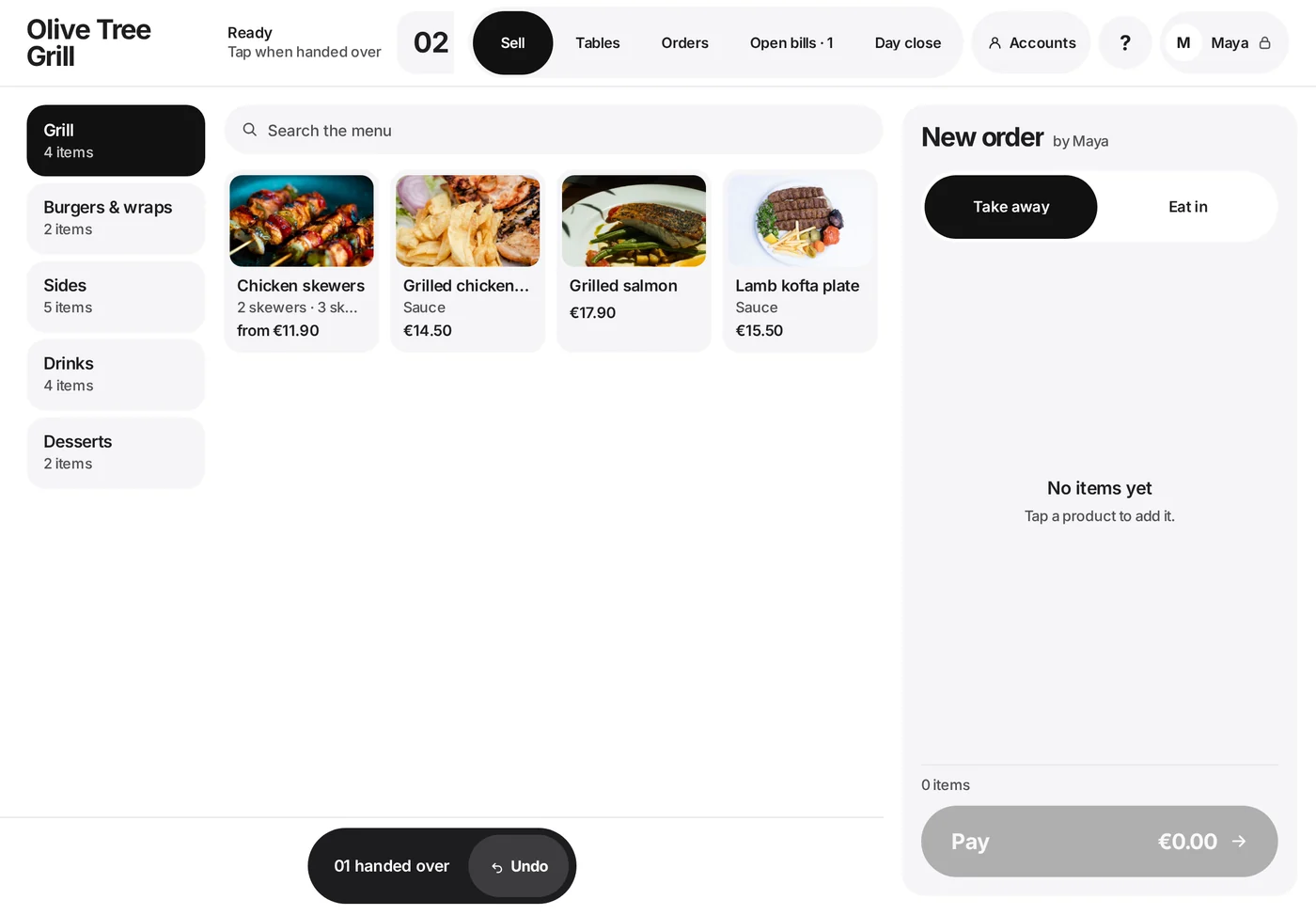
Hand an order over and an Undo appears for a few seconds. Mistakes are one tap to fix, and nobody is slowed down by confirm boxes.
- Undo after handing over
- Ready orders listed on the side
- Clear status for every order
Vouchers for items served at the counter
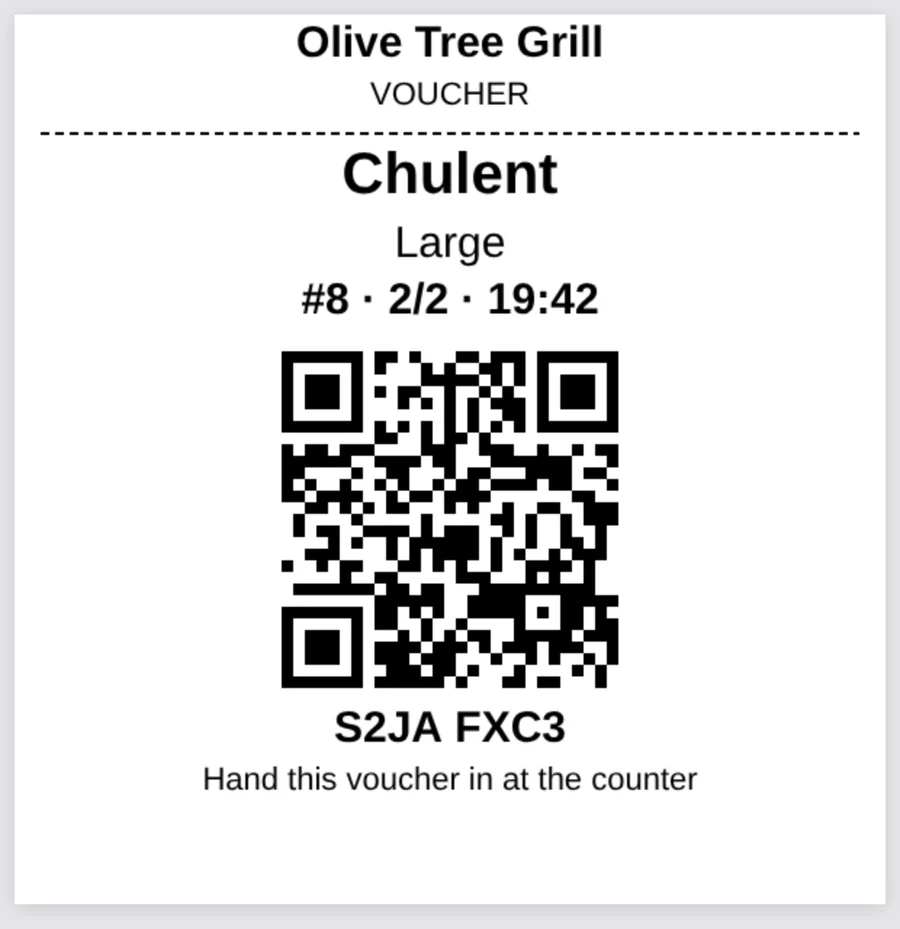
Tick “Print voucher” on a dish or a whole category. The kiosk or till prints one voucher per item, with the item name big, the order number and a QR code. The kitchen never sees those items: staff hand them out at the counter.
- Tick “Print voucher” on a dish or category
- One voucher per item: name, order number, QR
- No extra screen or printer needed
Scan it, or tick it off
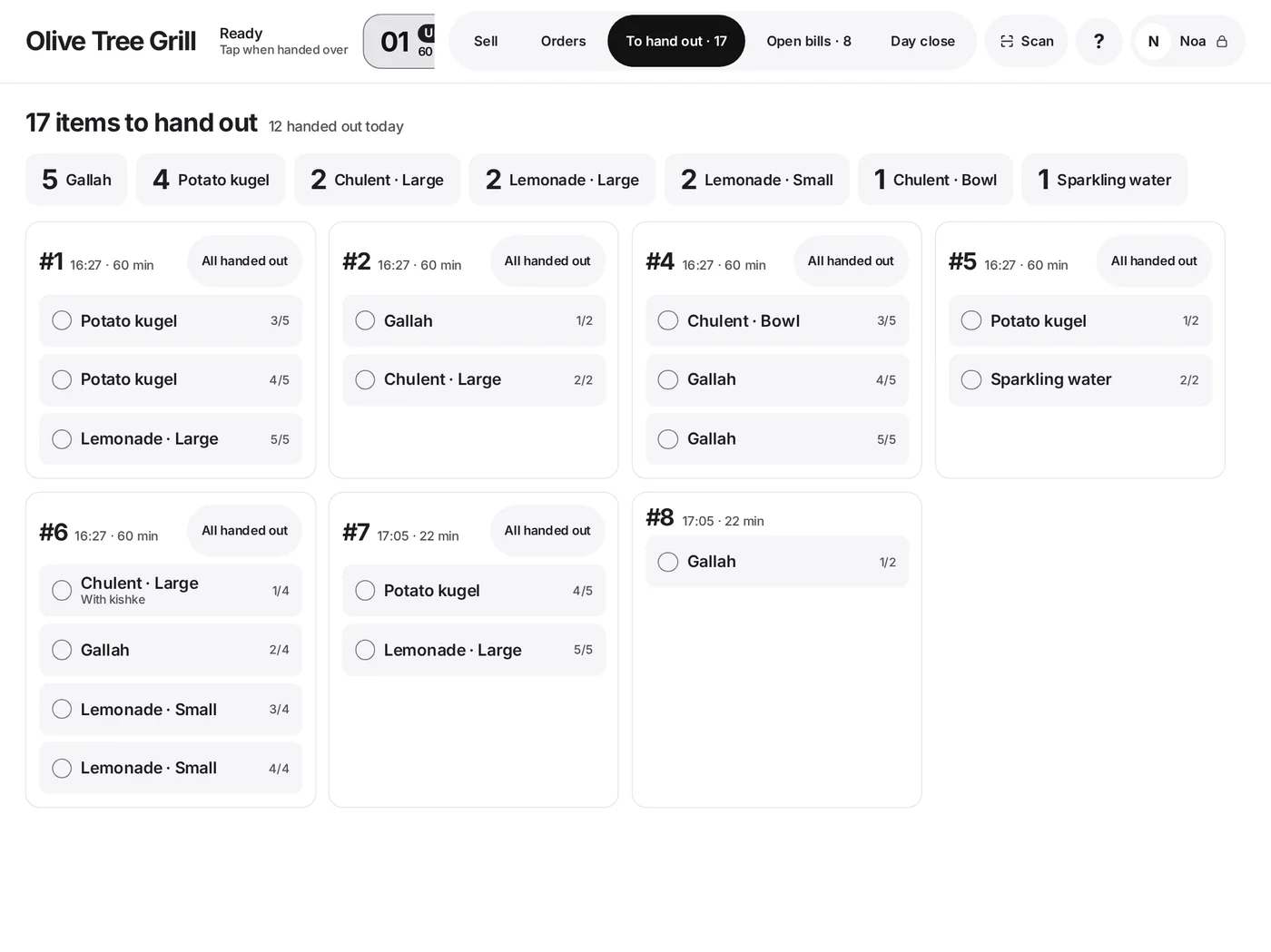
Two optional switches, both off until you turn them on: scan the voucher at the till to see Served or Already handed out, and a “To hand out” list with totals per item.
- Scan at the till: Served or Already handed out
- “To hand out” list with totals per item
- Undo if you tap the wrong one
Refunds need a manager
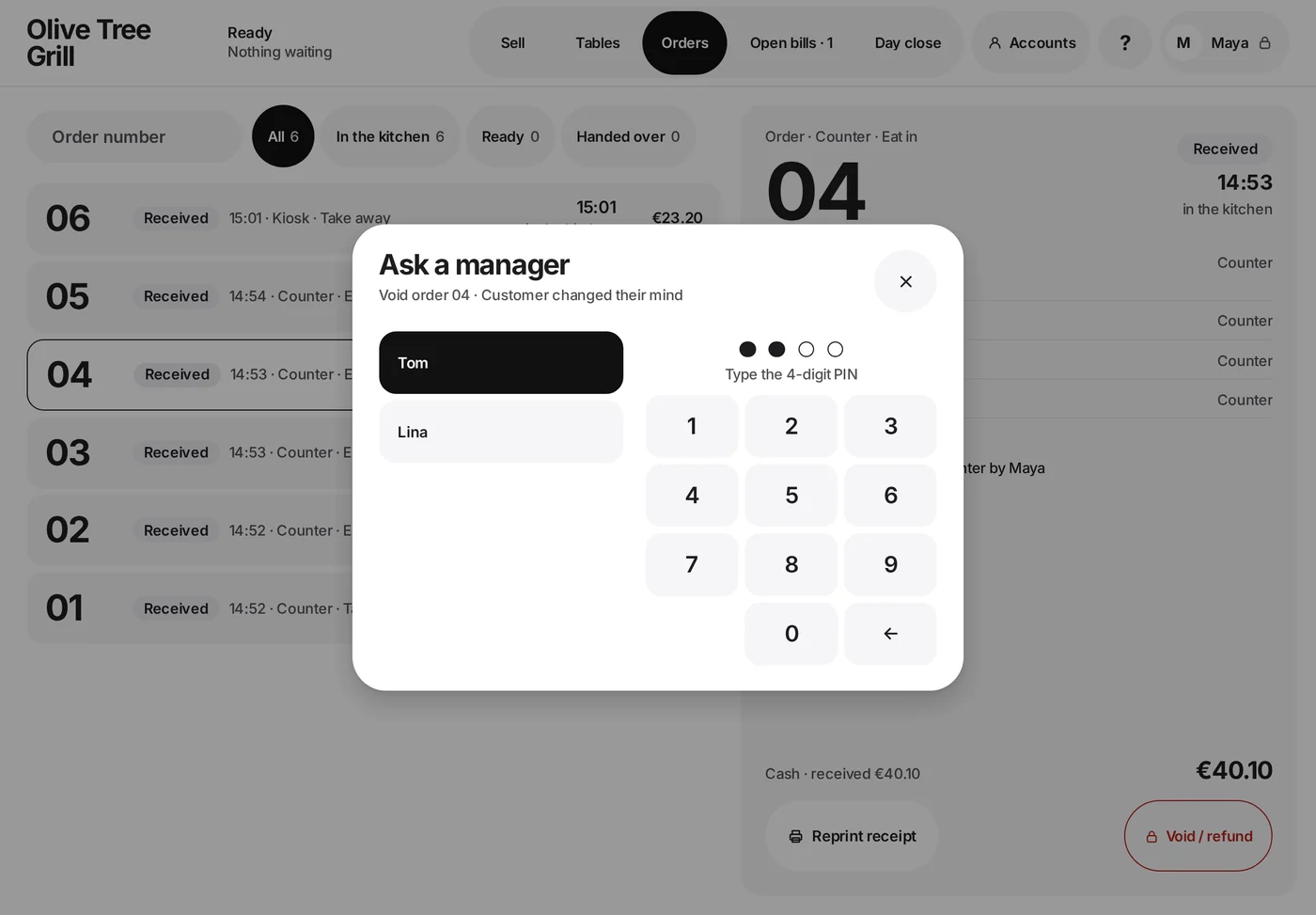
Voids and refunds ask for a manager PIN and a reason. Staff can't quietly cancel a sale.
- Manager PIN for voids and refunds
- Reason recorded with every void
- Each person signs in with their own PIN
Keeps working offline
If the internet drops, the till keeps taking orders and cash. Everything syncs as soon as it's back.
- Take orders and cash offline
- Clear banner while offline
- Automatic sync when back online
Printers that set themselves up
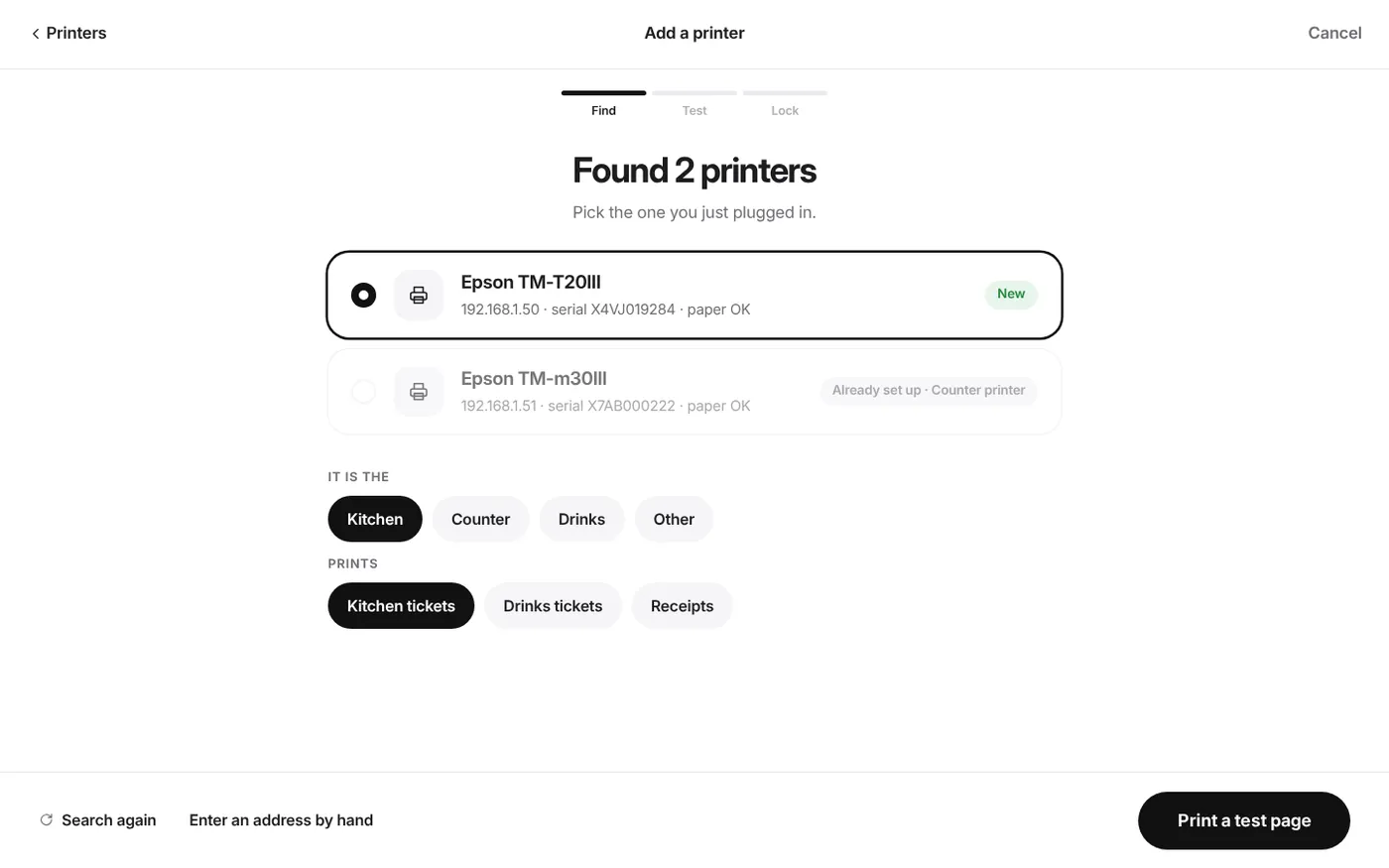
Find receipt and kitchen printers on your network, print a test page and you're done.
- Receipt and kitchen printers
- Test print from the setup screen
- Paper-out alerts on the kitchen screen
Ready when you are.
Tell us about your restaurant and we'll show you servi on your own menu.