Till pages
Put your best sellers, drinks or deals on pages of your own, next to All. Give each page a picture, search everything from the top, and give every till its own layout.
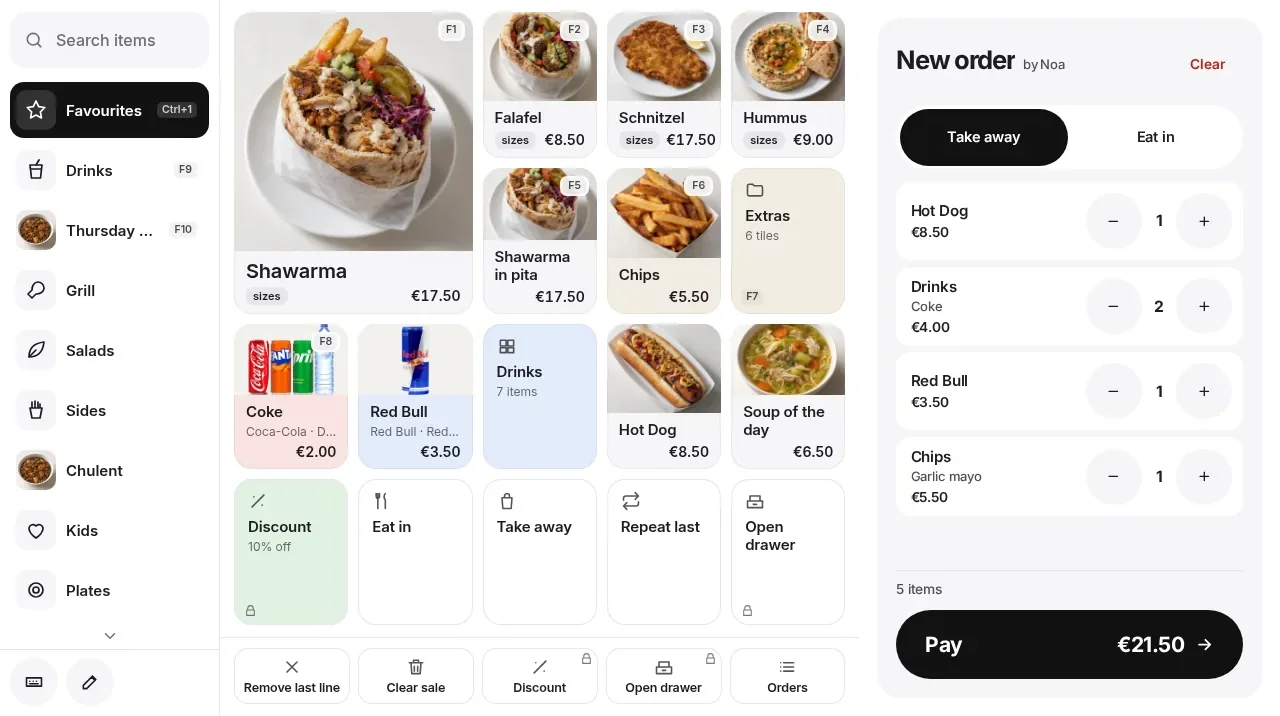
Pages with pictures
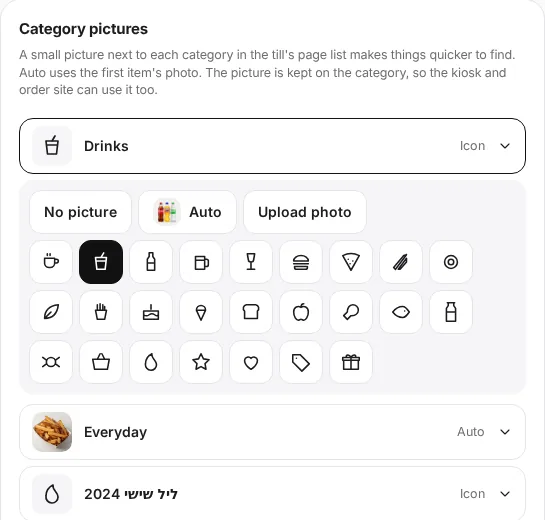
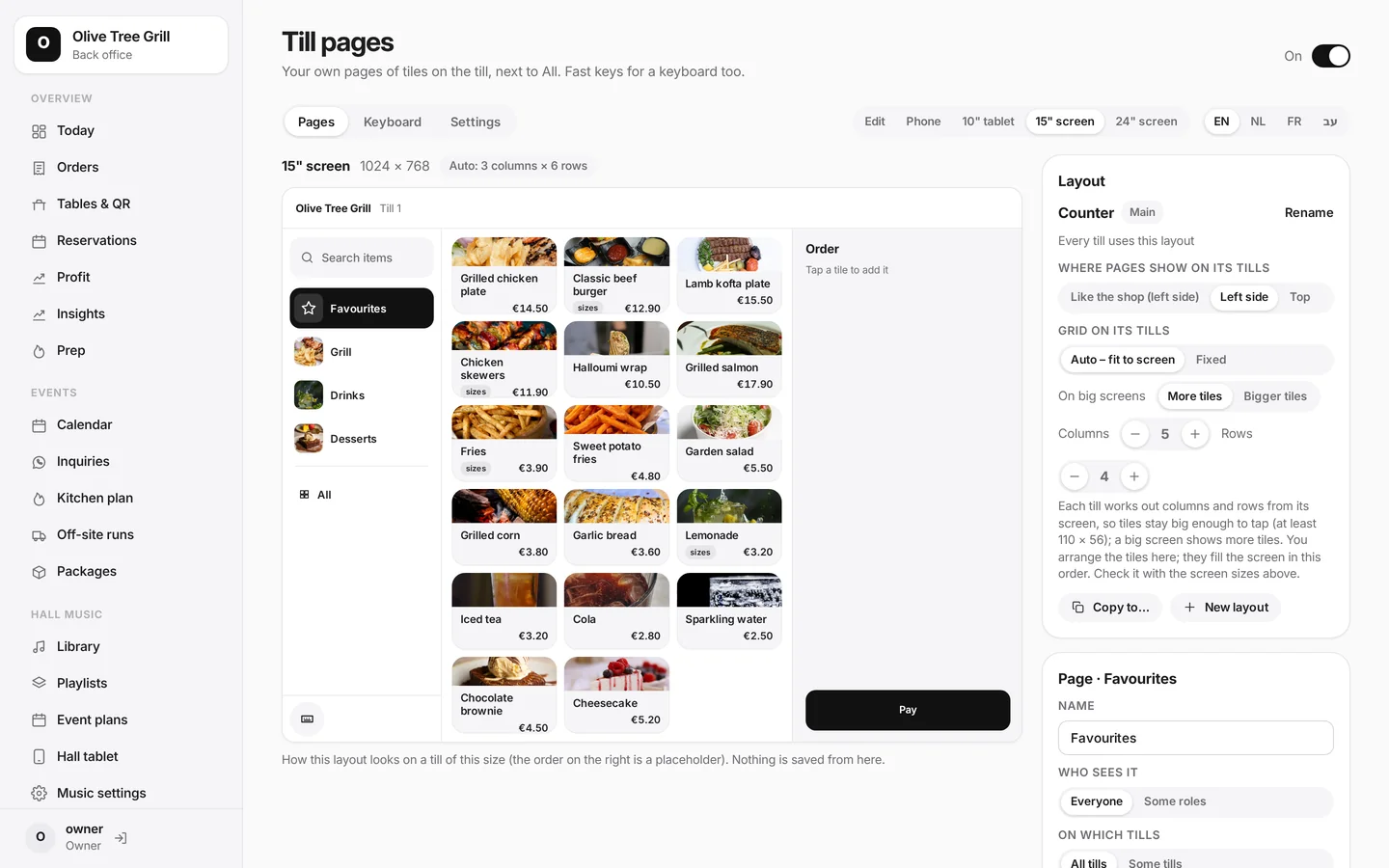
Make pages like Drinks, Lunch or Deals. Give each page and each category a picture, so staff find things at a glance: your own photo, a built-in icon, or the photo of the first item.
- Up to 40 pages, with folders
- Pictures for pages and categories
- A list on the left, or tabs on top
A search that's always there
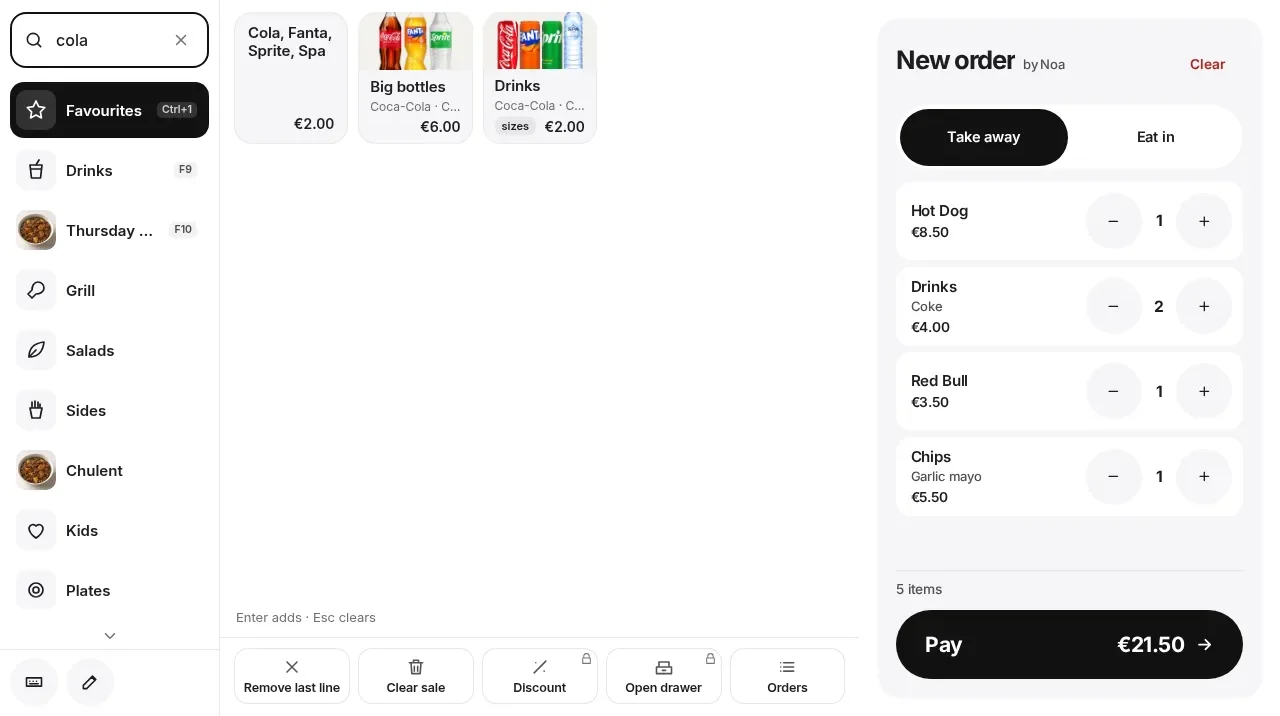
The search box at the top finds any item by name or item code, in every language of your menu. Tap a result to add it.
- Name or item code
- Works in every menu language
- Esc or × clears it
A grid that fits the screen
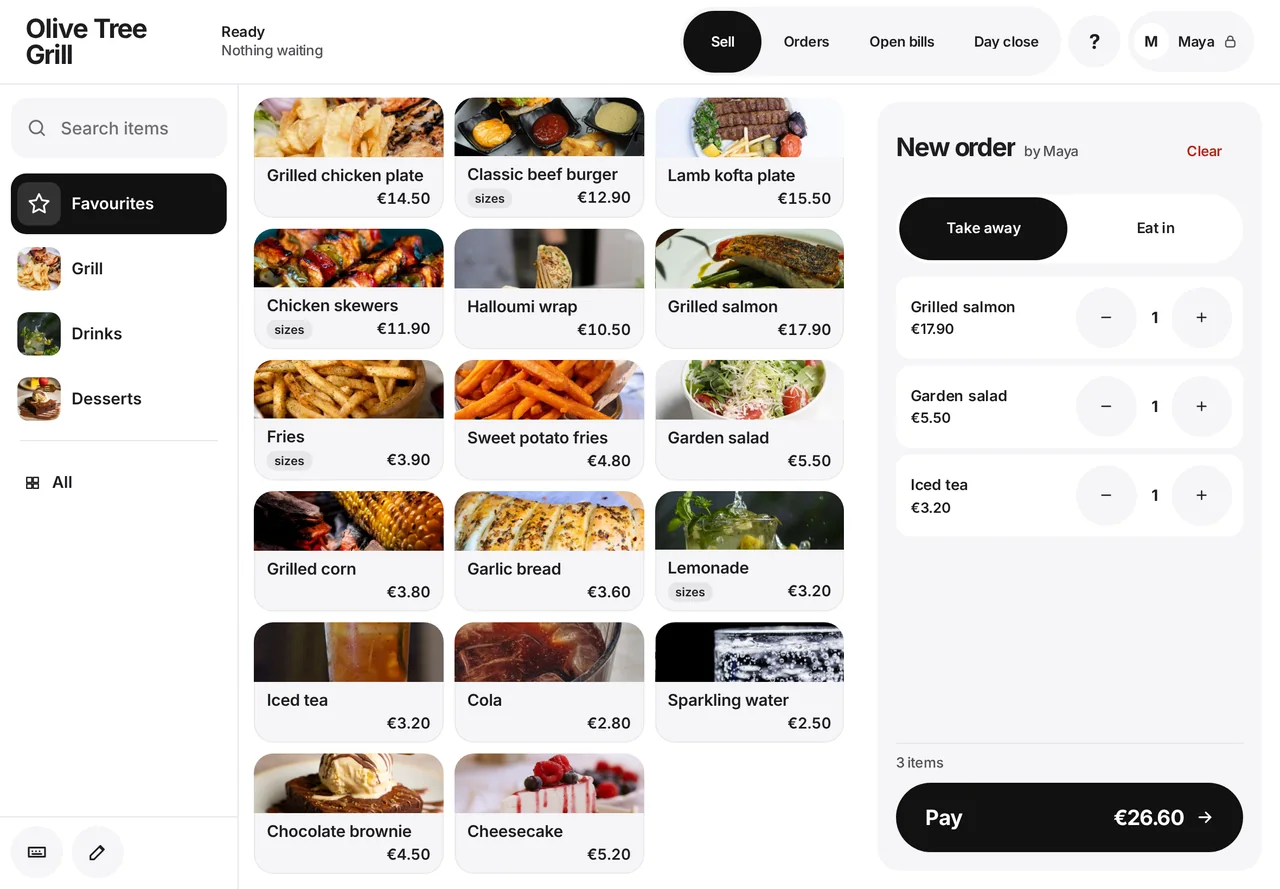
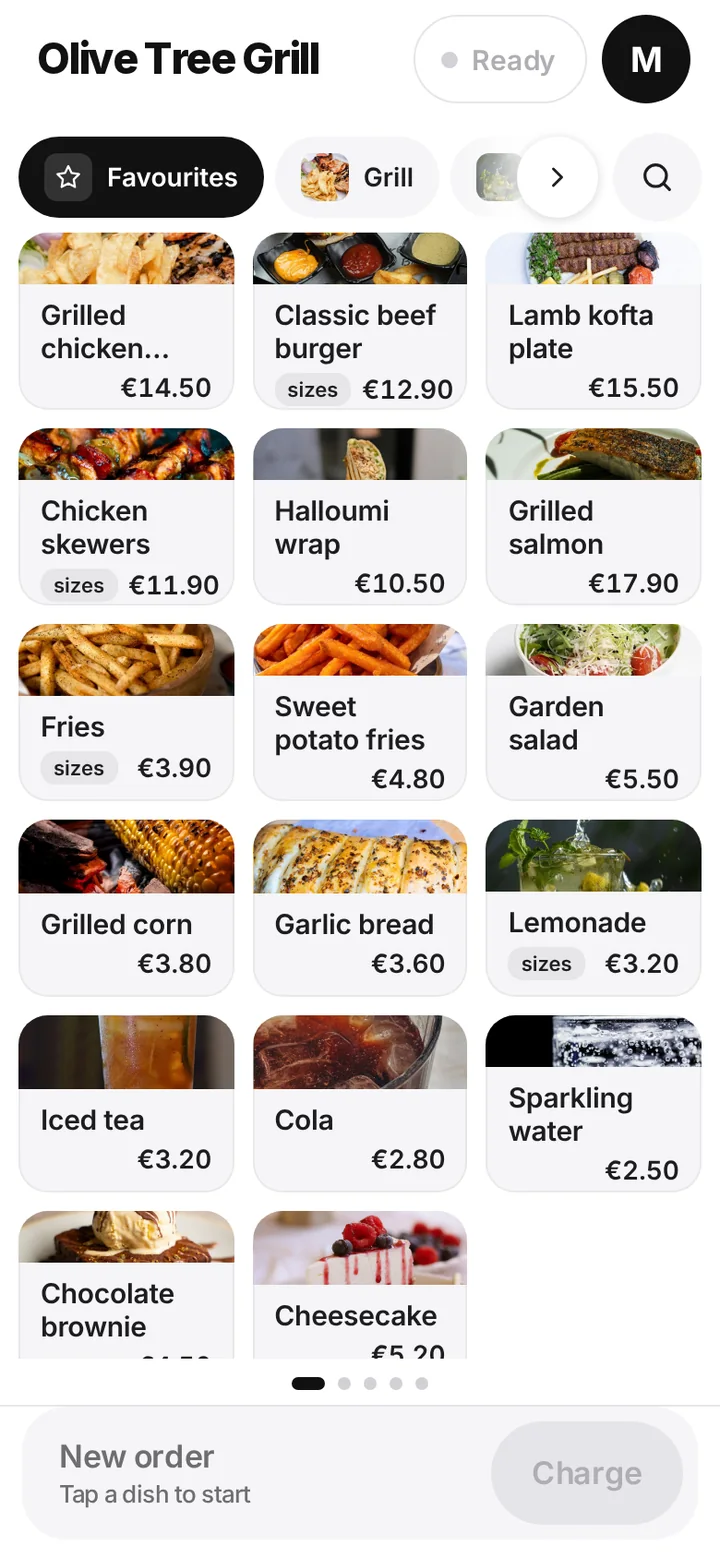
Choose Auto and the grid fits each screen by itself: more tiles on a big screen, or bigger tiles if you prefer. Or set it yourself, from 3 to 8 columns and 2 to 8 rows. On a phone, pick 2, 3 or 4 columns. The back office shows a preview for a phone and a 10, 15 or 24 inch screen.
- Auto: fits every screen
- Or 3 to 8 columns, 2 to 8 rows
- 2, 3 or 4 columns on a phone
Made for a keyboard, too
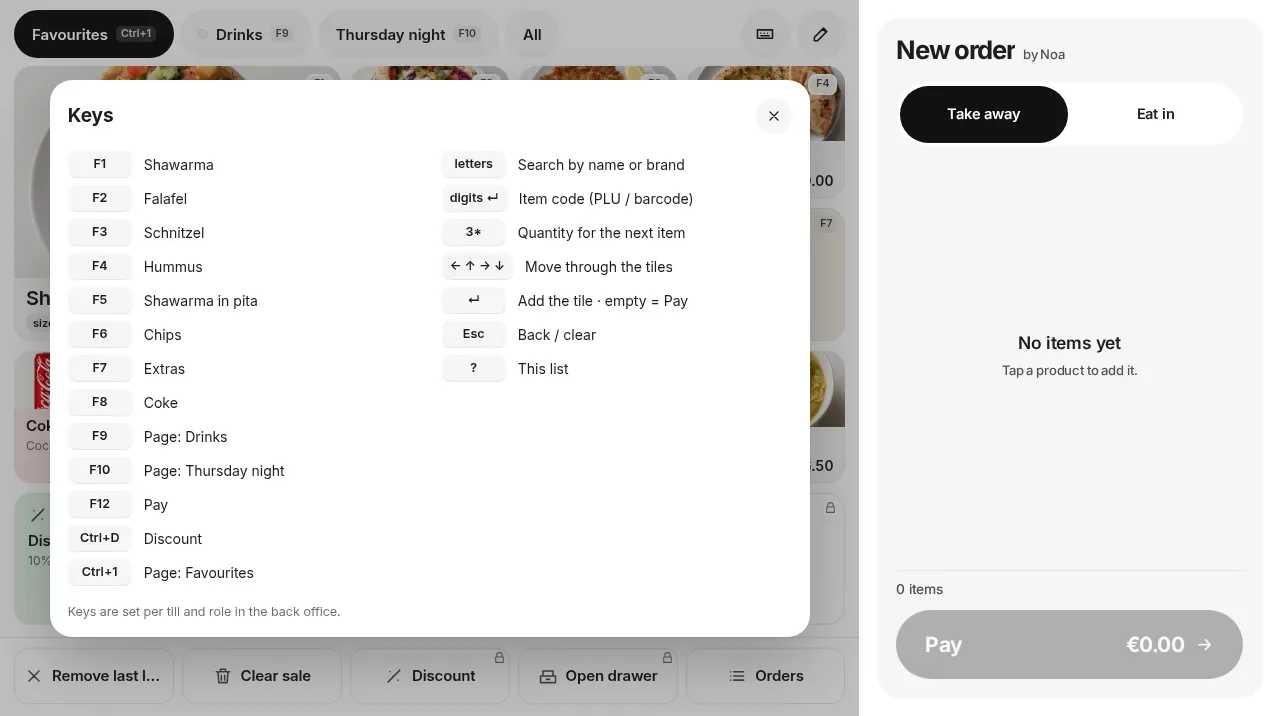
On a till with a keyboard, staff type to search, move with the arrow keys, press Enter to pay and type the cash on the number pad. You set the keys per till and role.
- Type to search
- Enter to pay, Esc to go back
- Your own keys per till and role
You stay in charge
Lock a tile behind a manager's PIN, choose who may edit pages on the till, and jump back to the first page after each sale. Till pages are off until you switch them on; until then the till stays exactly as it is.
- Locked tiles need a manager's PIN
- Edit on the till, or only in the back office
- Off until you switch it on
Ready when you are.
Tell us about your restaurant and we'll show you servi on your own menu.