Catering
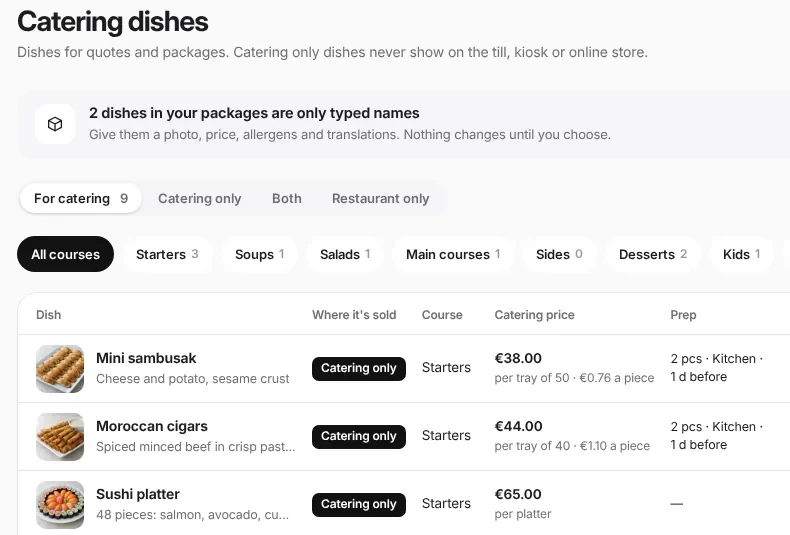
Dishes you only make for catering, with their own courses, prices and prep. Clients choose their menu from a link and ask for a quote. Catering dishes never show up on the till, the kiosk or online.
Off until you switch it on
Catering is off by default. Turn on “We do catering” in your Events settings and it's ready. Catering-only dishes never appear on the till, the kiosk, online ordering or your menu screens.
- Switched on by you, in Events settings
- Off by default
- Never on the till, kiosk, online or menu screens
Every detail of a dish
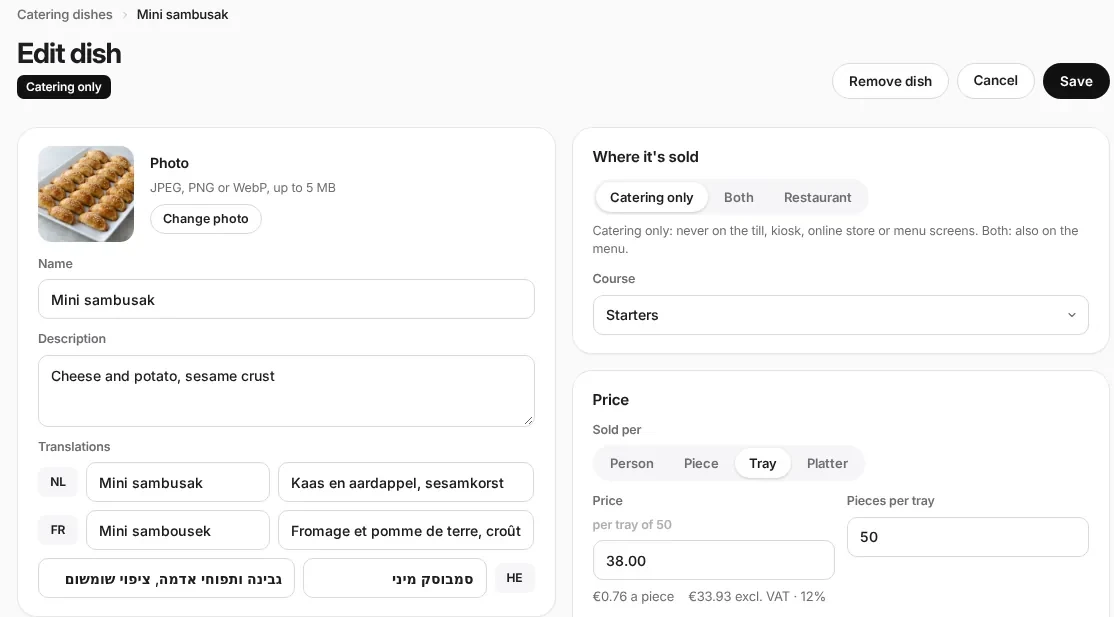
Each catering dish has a photo, a description and translations, plus the 14 allergens and diet info. Price it per person, per piece, per tray or per platter, with a minimum and the number of days ahead it must be ordered.
- Per person, piece, tray or platter
- 14 allergens and diet info
- Minimum and order-ahead days
Courses you can change
Eight courses to start with: Starters, Soups, Salads, Main courses, Sides, Desserts, Kids and Drinks. Rename them, reorder them or add your own, in English, Dutch, French and Hebrew.
- Eight courses ready
- Rename, reorder, add
- Four languages
Packages that mix both
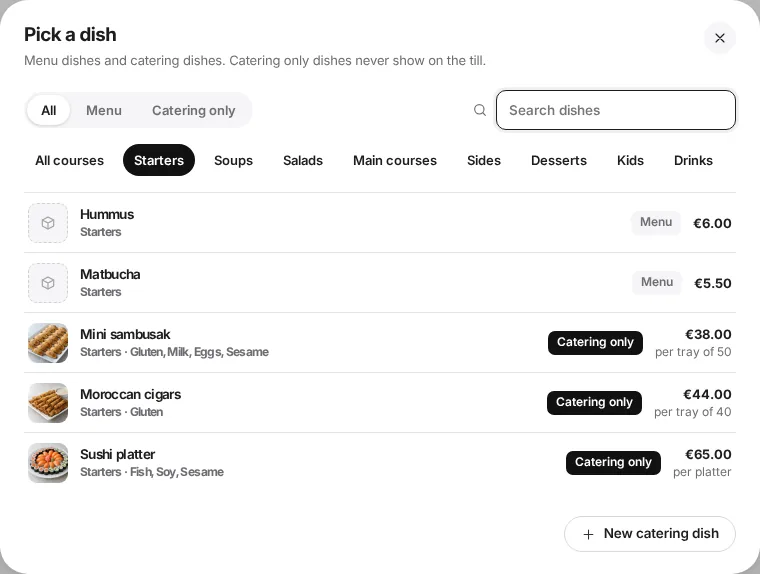
Build a package from your menu dishes and your catering dishes in one picker. Dishes you typed by hand in older packages can be turned into real dishes, with undo.
- Menu and catering dishes together
- Turn typed dishes into real dishes
- Undo if you change your mind
À la carte on the quote
Add catering dishes as their own lines on a quote, next to the package. The kitchen prep plan counts them and moves prep before your closed days.
- À la carte lines on quotes
- Counted in the kitchen prep plan
- Prep moved before your closed days
Clients choose their menu
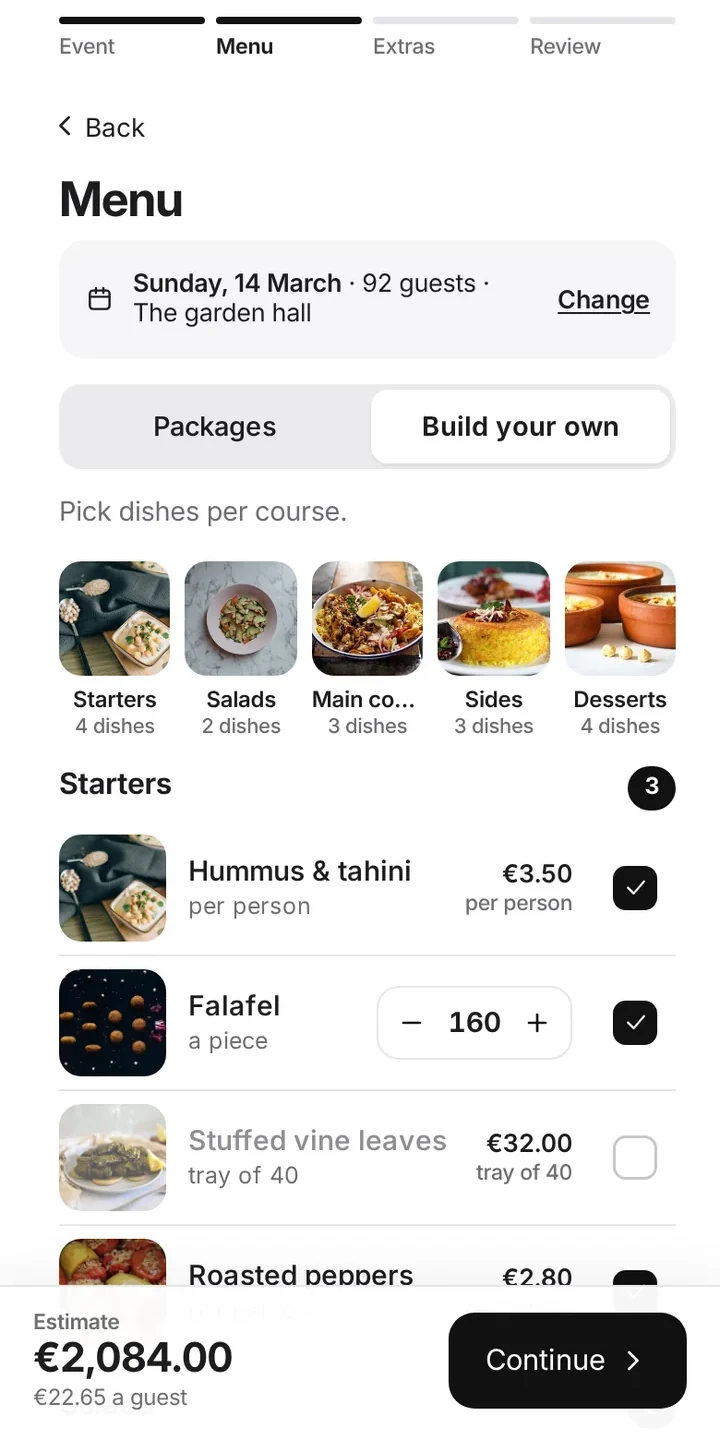
Send a client your menu link. They pick a package and choose their dishes per course, with upgrades and a kids menu. Or they build their own menu, course by course.
- Packages with choices and upgrades
- Or their own menu, course by course
- With your dish photos, if you like
Always a quote
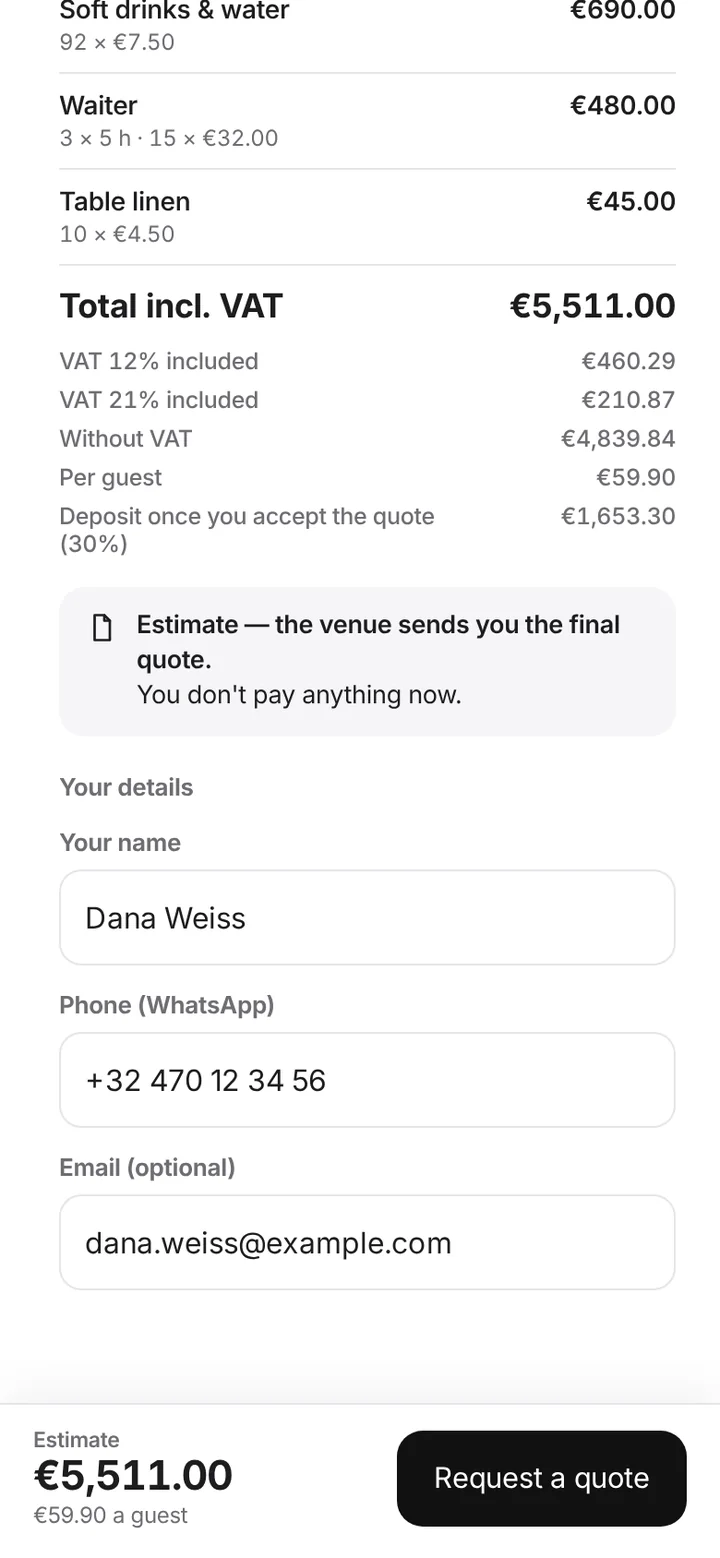
Clients add extras like staff, drinks or linen, check their menu and press “Request a quote”. Nothing is booked or paid from the menu page.
- Extras with quantities
- Ask about allergies and diet, if you want
- A quote request, never a payment
Show prices, or don't
Show estimate prices while clients choose, or hide them. With prices off, clients see “Price on request” and no amounts at all.
- Estimate prices with VAT
- Or “Price on request”
- Dish photos on or off
Requests land in Inquiries
The client's menu arrives in your back office with every dish, the totals and their allergies. Adjust what you need, then tap “Approve & send quote”. The deposit comes only after they accept.
- Every line and total in one view
- Adjust before you send
- Approve & send quote
You set the rules
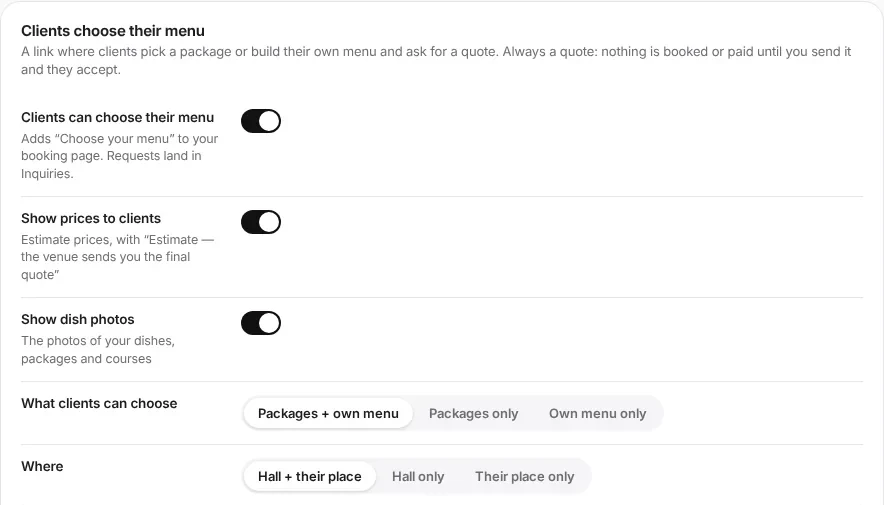
Switch on “Clients choose their menu” in Events settings. Choose packages, their own menu or both, in your hall or at their place, plus the minimum number of guests and how many days ahead.
- Off until you switch it on
- Which packages, dishes and extras clients see
- Minimum guests and order-ahead days
More features
Hall music
Clients pick songs for each moment of their event, or upload their own. A tablet in the hall plays them on the night.
Learn more ›Live support
Chat with a real support team from inside the app. Talk to your own guests too.
Learn more ›Self-service kiosk
Guests order and pay on a touch screen. No queue, no names.
Learn more ›Ready when you are.
Tell us about your restaurant and we'll show you servi on your own menu.