Hall music
Your clients plan the music for their event on their phone: songs from your library, or their own uploads. On the night, a tablet in the hall plays it moment by moment. No more song lists sent back and forth.
How it works
You set it up
Upload your songs, make ready-made playlists and set the moments of the evening, for example arrival, meal, first dance and dancing.
Your client chooses
On their phone, from the link on their event page, they pick songs for each moment from your library, or upload their own.
The tablet plays it
A tablet in the hall, connected to your speakers, plays their plan. Staff tap to move on to the next moment.
Their own songs, too
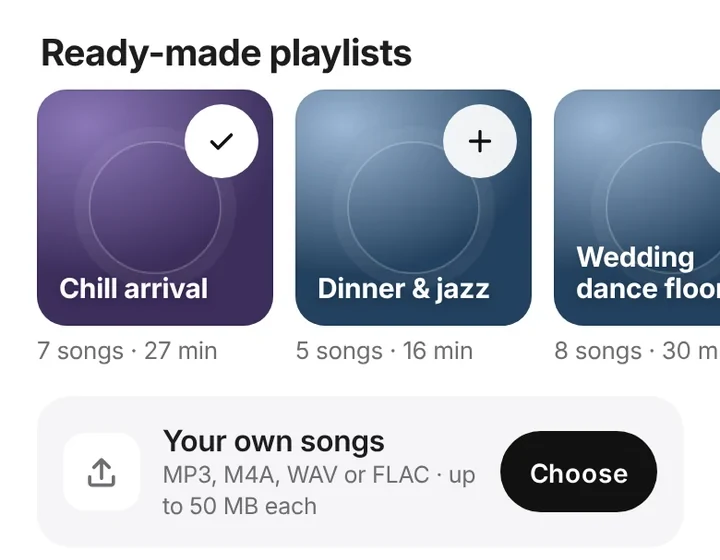
If you allow it, clients upload their own songs straight from their phone: MP3, M4A, WAV or FLAC. You decide how many songs each client may upload and how big each file can be, or you switch uploads off.
- Upload from the phone
- You set the number of songs and the size per song
- Their songs only play at their own event
The whole evening on one page
Clients fill each moment with songs, your ready-made playlists or playlists of their own. They add special songs for the big moments, songs you should never play, and a note for you. The page is in English, Dutch, French and Hebrew.
- Songs and playlists per moment
- Special songs, like the entrance or the first dance
- A do-not-play list and a note for the venue
You stay in control
See which events have chosen their music and what they uploaded. Choices close by themselves a set number of days before the event, and you can lock a plan or keep it open. Want to check first? Turn on approval: until you approve, the tablet plays your own default moments.
- Every event's plan in the back office
- Locks by itself before the event
- Optional approval
Your music library
Upload your songs once, a few at a time or a whole folder, and build ready-made playlists. Clients see them when they plan.
- Upload songs or a whole folder
- Ready-made playlists
- Default moments for every event
On the night
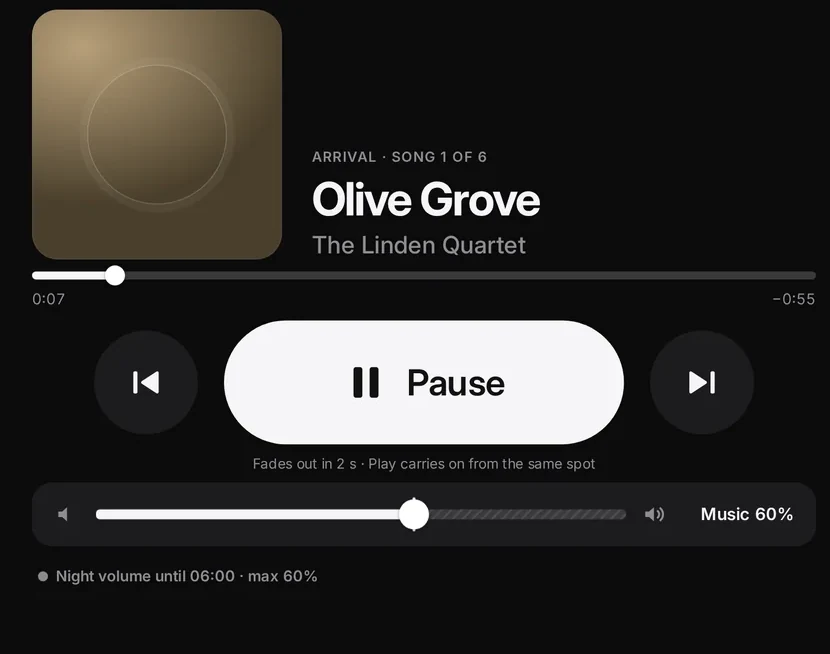
The tablet shows the moment that's playing and what's next. Staff tap to change moments, songs crossfade, and special songs play on cue. Songs are saved on the tablet, so the music keeps going if the Wi-Fi drops.
- Connects to your speakers by cable or Bluetooth
- Staff PIN and a volume limit
- Dark or light, in English, Dutch, French or Hebrew
Quieter later in the evening
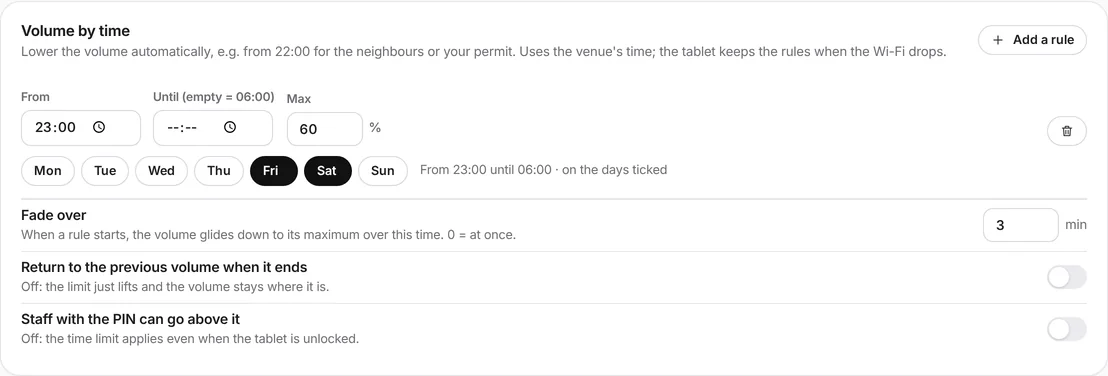
Set volume by time: for example, from 23:00 the music plays at most 60%, on the days you choose. The volume glides down over a few minutes, and the tablet shows “Night volume until …”. Staff can't turn it back up unless you allow it with a PIN.
- Maximum volume by time and day
- Glides down gently
- Override with a PIN, only if you allow it
Set it up your way
Every option is a setting, so it works the way your hall works.
- Client uploads on or off, with your own limits
- Clients can add, rename and reorder moments, or only fill in yours
- Song previews, client playlists, approval and the lock date
- A welcome screen with the couple's names when the tablet is idle
- House music on days without an event
More features
Ready when you are.
Tell us about your restaurant and we'll show you servi on your own menu.