Till pages
Put your best sellers, a brand or gift cards on pages of your own. Tiles can show the brand, and the search finds products by name, brand or barcode.
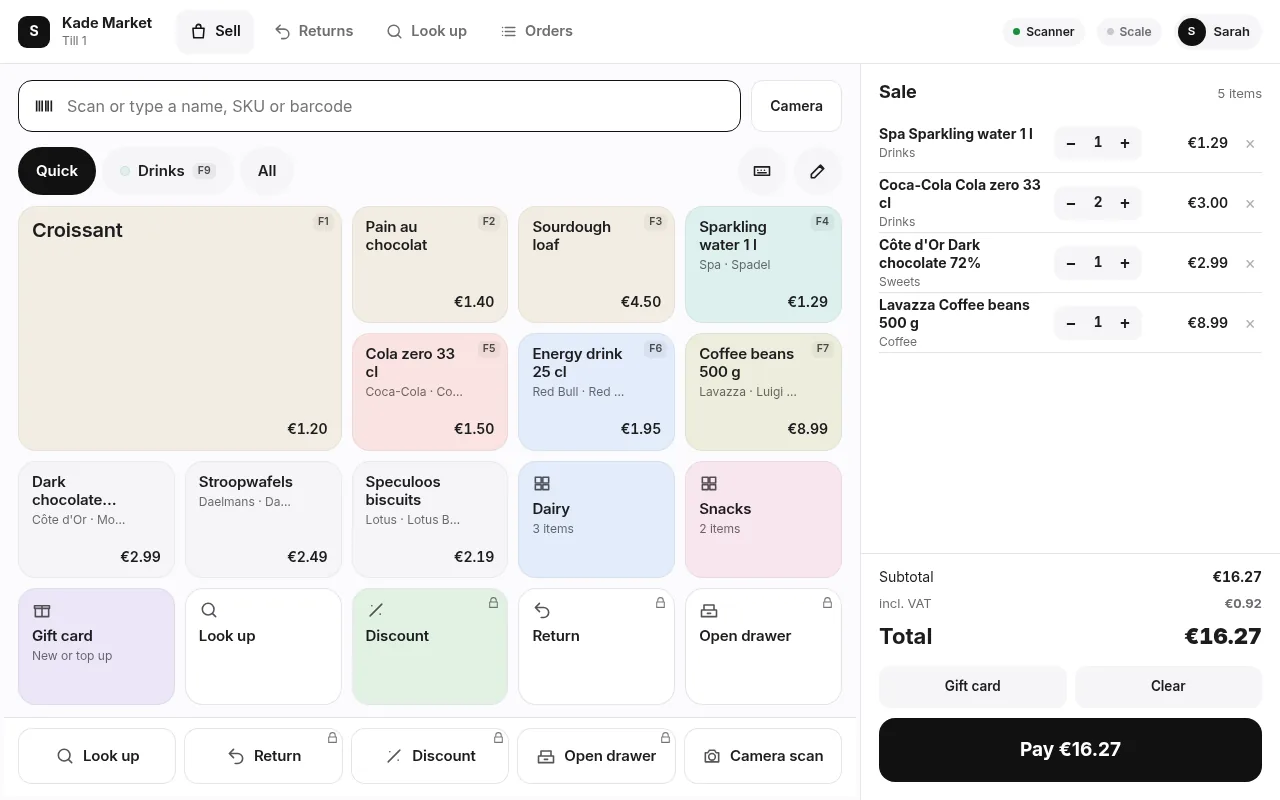
Pages with pictures
Make pages like Fruit & veg, Bread or Gifts. Give each page a picture so staff find things at a glance: your own photo, a built-in icon, or the photo of the first product.
- Up to 40 pages, with folders
- A picture for every page
- A list on the left, or tabs on top
Search by name, brand or barcode
The search box at the top finds any product by name, brand or maker, or by its barcode. Tap a result to add it to the sale.
- Name, brand, maker or barcode
- Brand on the tiles
- A gift card tile
A grid that fits the screen
Choose Auto and the grid fits each screen by itself: more tiles on a big screen, or bigger tiles if you prefer. Or set it yourself, from 3 to 8 columns and 2 to 8 rows. On a phone, pick 2, 3 or 4 columns. The back office shows a preview for a phone and a 10, 15 or 24 inch screen.
- Auto: fits every screen
- Or 3 to 8 columns, 2 to 8 rows
- 2, 3 or 4 columns on a phone
Made for a keyboard, too
On a till with a keyboard, staff type to search, move with the arrow keys, press Enter to pay and type the cash on the number pad. You set the keys per till and role.
- Type to search
- Enter to pay, Esc to go back
- Your own keys per till and role
You stay in charge
Lock a tile behind a manager's PIN, choose who may edit pages on the till, and jump back to the first page after each sale. Till pages are off until you switch them on; until then the till stays exactly as it is.
- Locked tiles need a manager's PIN
- Edit on the till, or only in the back office
- Off until you switch it on
More features
Card payments
Your own SumUp or Stripe card reader at the till. The money goes to you.
Learn more ›Gift cards & returns
Sell gift cards at the till. Returns and exchanges in a few taps, with rules you set.
Learn more ›Products & labels
One product list with sizes, colours and barcodes. Shelf labels, stickers and hang tags from it.
Learn more ›Ready when you are.
Tell us about your shop and we'll show you servi with your own products.