Online ordering & delivery
Every restaurant gets its own ordering page. Guests order for pickup or delivery and pay online. Your own drivers deliver.
Your own ordering page
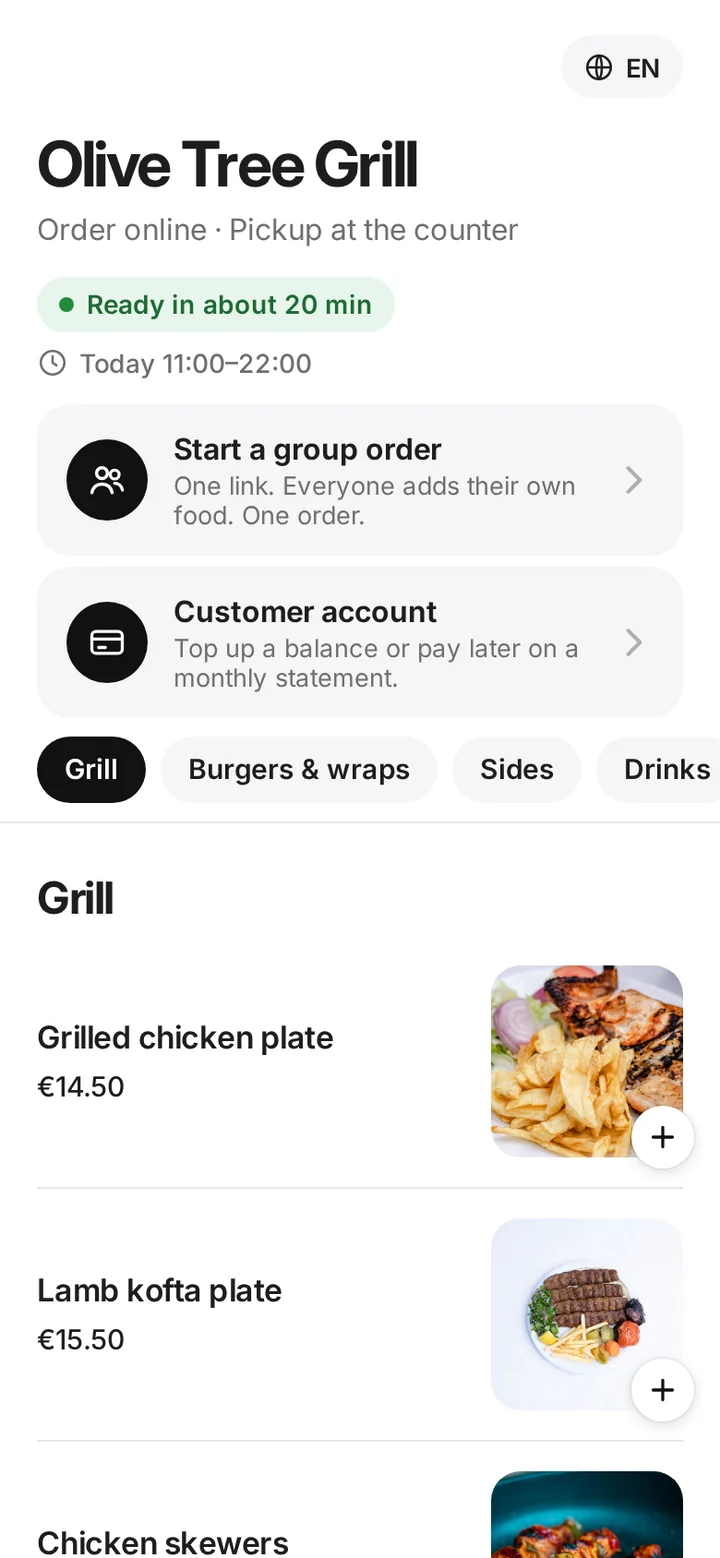
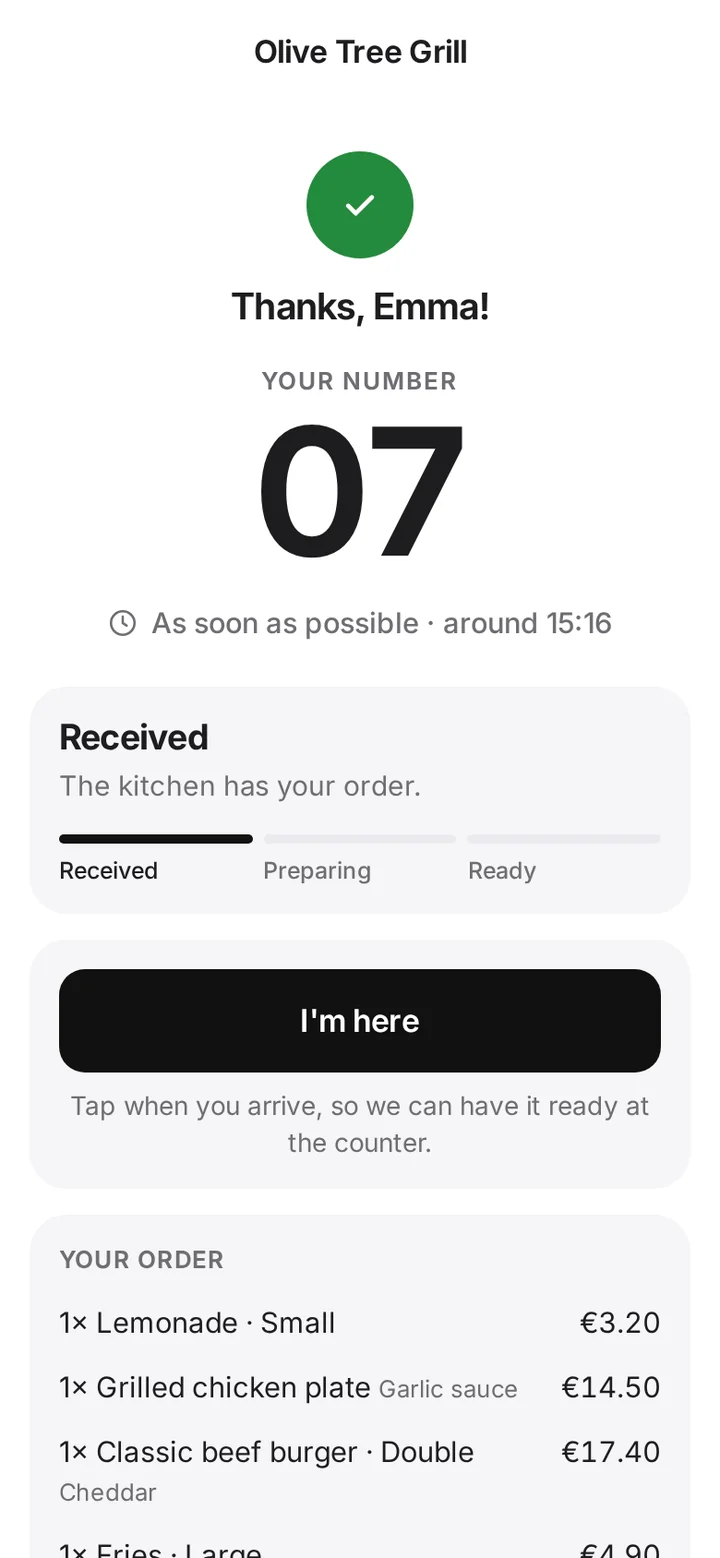
Your menu, your photos, your brand colour. Guests order for pickup and choose a time.
- Click & collect with pickup times
- Your own link and QR code
- Pay online, or pay at pickup up to an amount you set
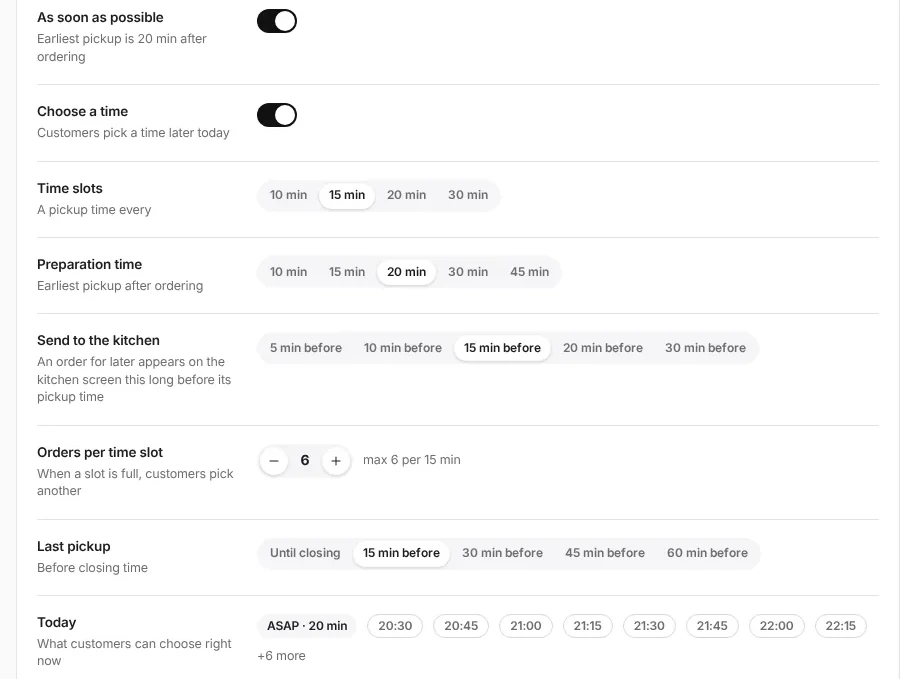
Pickup times that fit your kitchen
Choose how often there's a pickup time, how many orders fit in each slot and how early an order for later reaches the kitchen. Busy? Pause online orders for a while with one tap.
- Time slots with a limit per slot
- Pause new orders when it's busy
- Allergy notes printed on the kitchen ticket
Delivery with your own drivers
Set your delivery zones. Guests enter their address, see if it's in range and follow the delivery live.
- Delivery zones you set
- Live status for the guest
- No marketplace in between
Zones, fees and minimums
Draw your delivery area on a map, use a radius, or list postcodes. Each zone can have its own fee, minimum order and free delivery above an amount.
- Radius, drawn area or postcodes
- Fee and minimum per zone
- Free delivery above an amount
A delivery board for the counter
See every delivery at a glance. Assign drivers and plan routes with several drops.
- Assign a driver in one tap, or automatically
- Routes with several deliveries
- Accept orders yourself or automatically
A driver app that just works
Drivers see their run, the address and what to collect. One tap to navigate, one tap to mark delivered.
- Runs on the driver's phone
- Navigate to each address
- Mark delivered in one tap
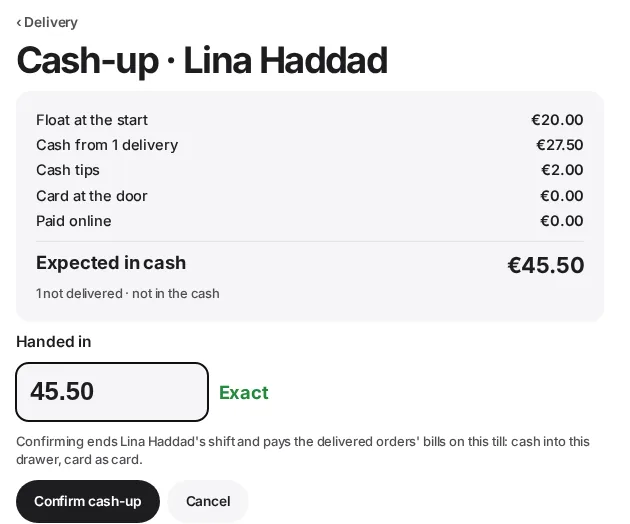
Cash-up and tips for drivers
Drivers can take cash, or a card reader to the door. Guests can add a tip. Back at the restaurant, the till does the driver's cash-up after the last drop.
- Cash, card at the door or paid online
- Tip buttons for guests
- Driver cash-up at the till
More features
Group orders
One link for the office lunch. Everyone adds their own, the kitchen gets one order.
Learn more ›Tables & QR ordering
A QR code on every table. Guests order in rounds and pay from their phone.
Learn more ›Reservations
Guests book a table online. You see the whole day by table and time.
Learn more ›Ready when you are.
Tell us about your restaurant and we'll show you servi on your own menu.