Stock, transfers & counts
Each shop keeps its own stock, and every change is a stock move you can trace. Move stock between shops, count a shelf on a phone and receive deliveries by scanning.
Stock per shop
See what every shop has, and get a low-stock alert in the back office when something runs low.
- Stock per shop at a glance
- Low-stock alerts, as a setting
- Every change traceable
Move stock between shops
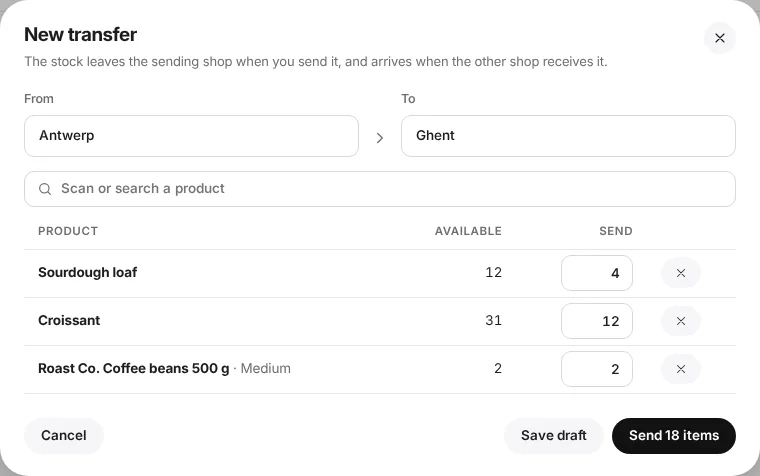
Send stock from one shop to another. It leaves when you send it and arrives when the other shop receives it.
- Scan or search what you're sending
- Save as a draft or send right away
- Low on stock? Move it before you buy more
Stock counts
Count one shelf or the whole shop, on a phone with its camera. Check the differences before they're posted.
- Spot counts and full counts
- Scan with the phone camera
- Review before posting
Suppliers and orders
Order from your suppliers and receive deliveries by scanning. A new supplier price updates the cost when it comes in.
- Purchase orders per supplier
- Receive by scanning, or type the numbers
- Labels for what came in
More features
Deals & price changes
Deals the till applies by itself, markdowns with the right “was” price, and price changes planned ahead.
Learn more ›Back office
Products, stock, prices, team and devices. On a laptop or your phone.
Learn more ›Reports
Gross profit per day, margins by category and brand, dead stock and stock value, per shop.
Learn more ›Ready when you are.
Tell us about your shop and we'll show you servi with your own products.