Your whole restaurant.
One simple system.
Kiosk, till, kitchen screen, tables, online ordering and delivery — all connected. Set it up yourself, switch on what you need.
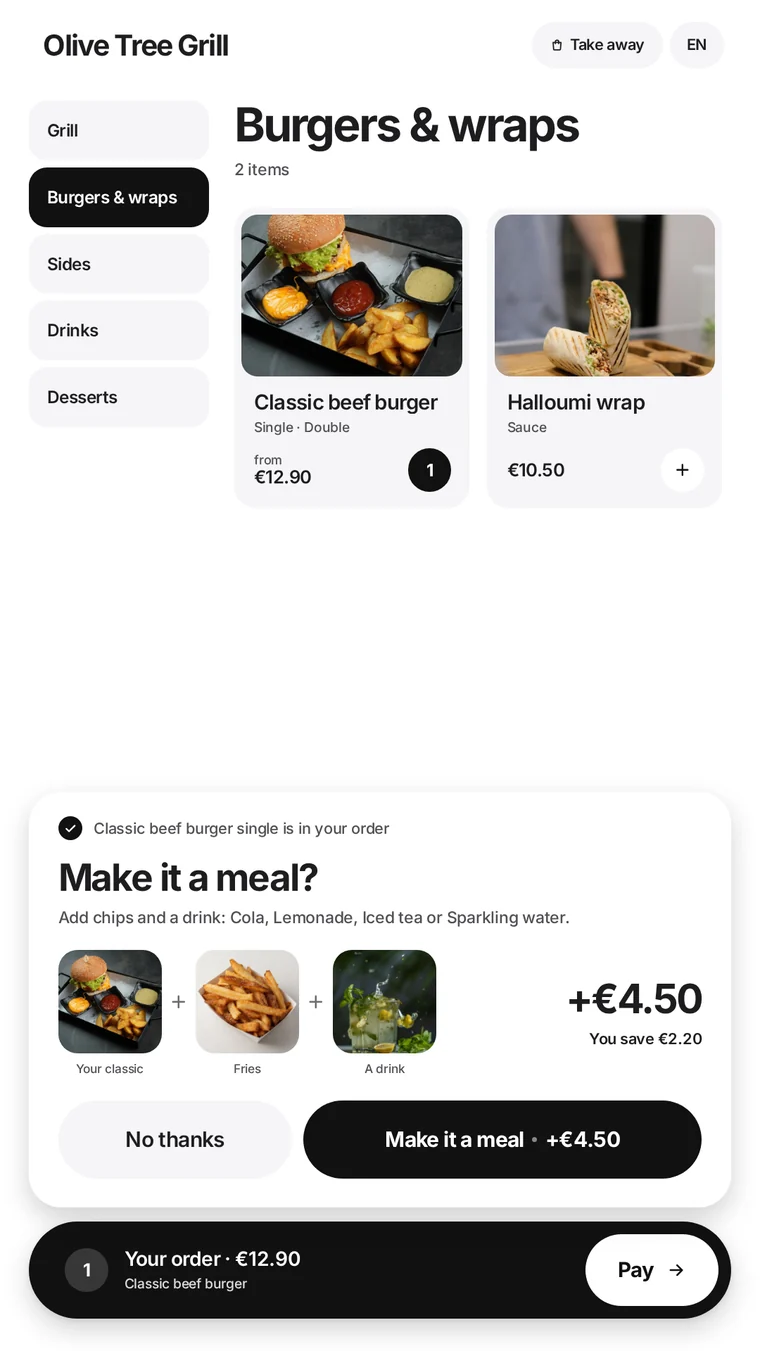
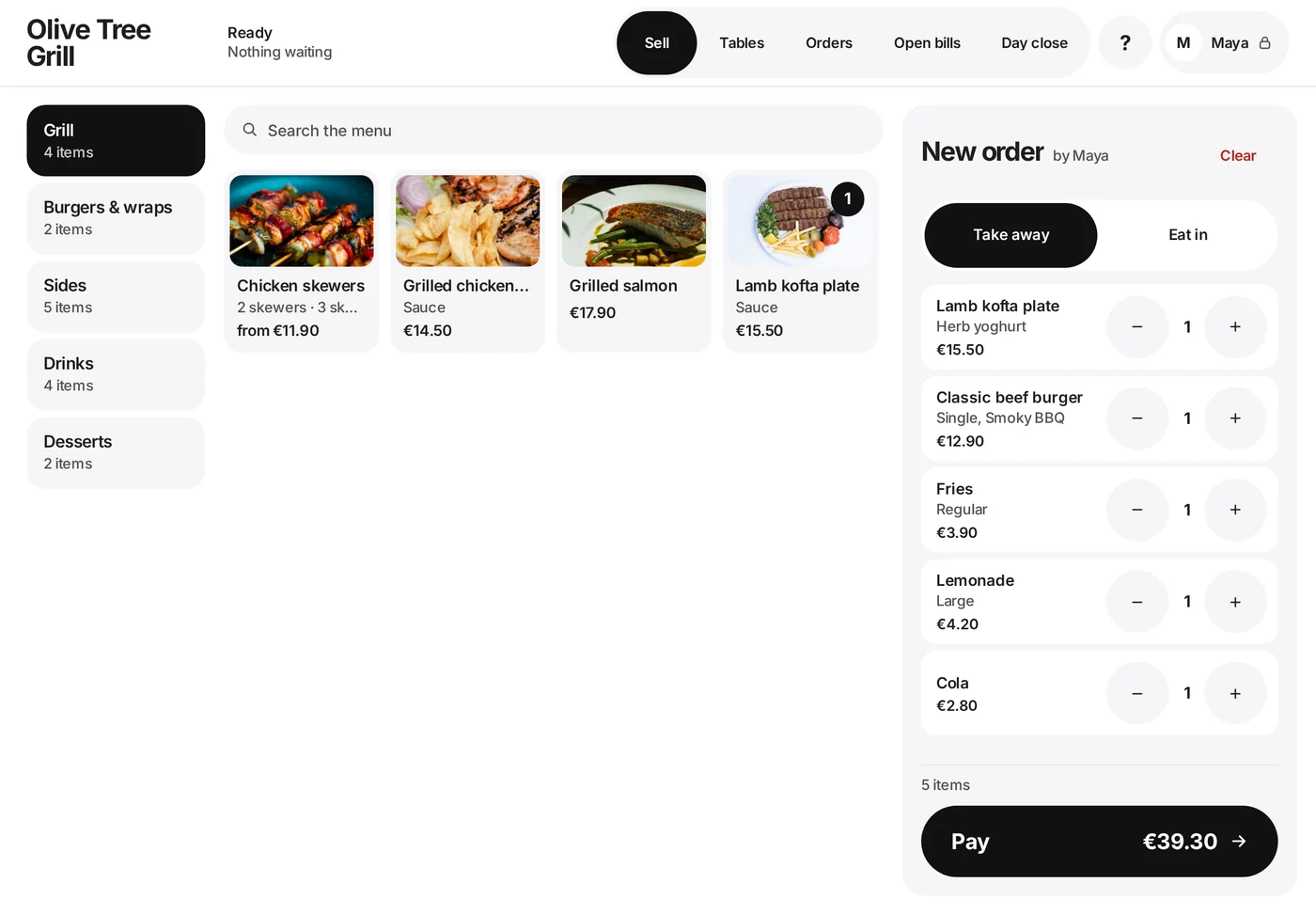
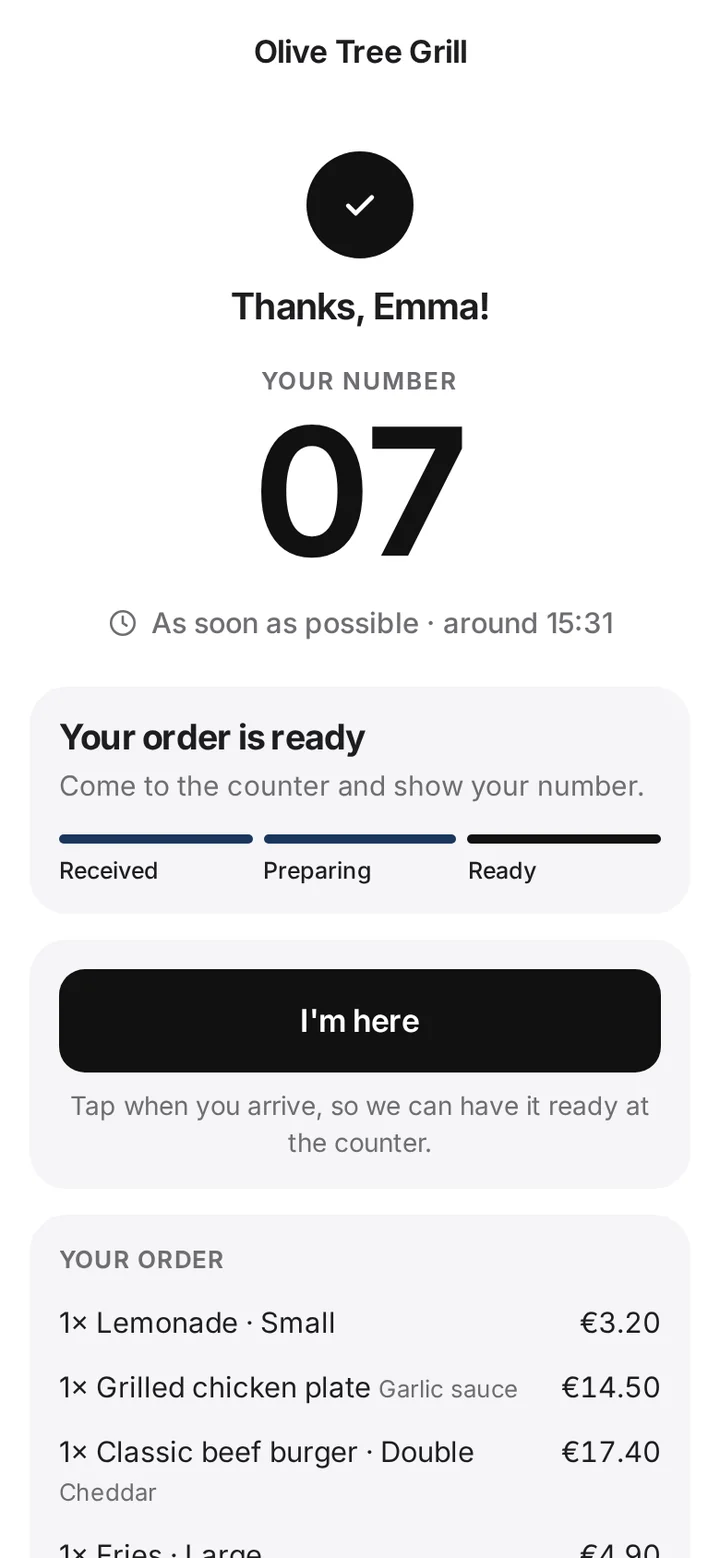
Set it up yourself
Add your menu, pair your screens with a code and start selling. No installer needed.
Switch on what you need
Every feature is a setting. Start with a till, add a kiosk or delivery when you're ready.
Your money, your accounts
Connect your own SumUp or Stripe. Payments go straight to you.
On screens you choose
Tablets, phones and TVs. Add as many screens as you like.
Everything your business runs on.
Each part works on its own and even better together. One menu, one sold-out list, one set of orders.
Self-service kiosk
Guests order and pay on a touch screen. No queue, no names.
Learn more ›Online ordering & delivery
Your own click & collect page, plus delivery with your own drivers.
Learn more ›Group orders
One link for the office lunch. Everyone adds their own, the kitchen gets one order.
Learn more ›Tables & QR ordering
A QR code on every table. Guests order in rounds and pay from their phone.
Learn more ›Reservations
Guests book a table online. You see the whole day by table and time.
Learn more ›Counter & till
A fast till for multiple counters. Cash, refunds, printers — and it keeps going offline.
Learn more ›Till pages
Your own pages of tiles on the till, with pictures and a search that finds anything.
Learn more ›Card payments
Your own SumUp or Stripe card reader at the till and the kiosk.
Learn more ›Kitchen screen
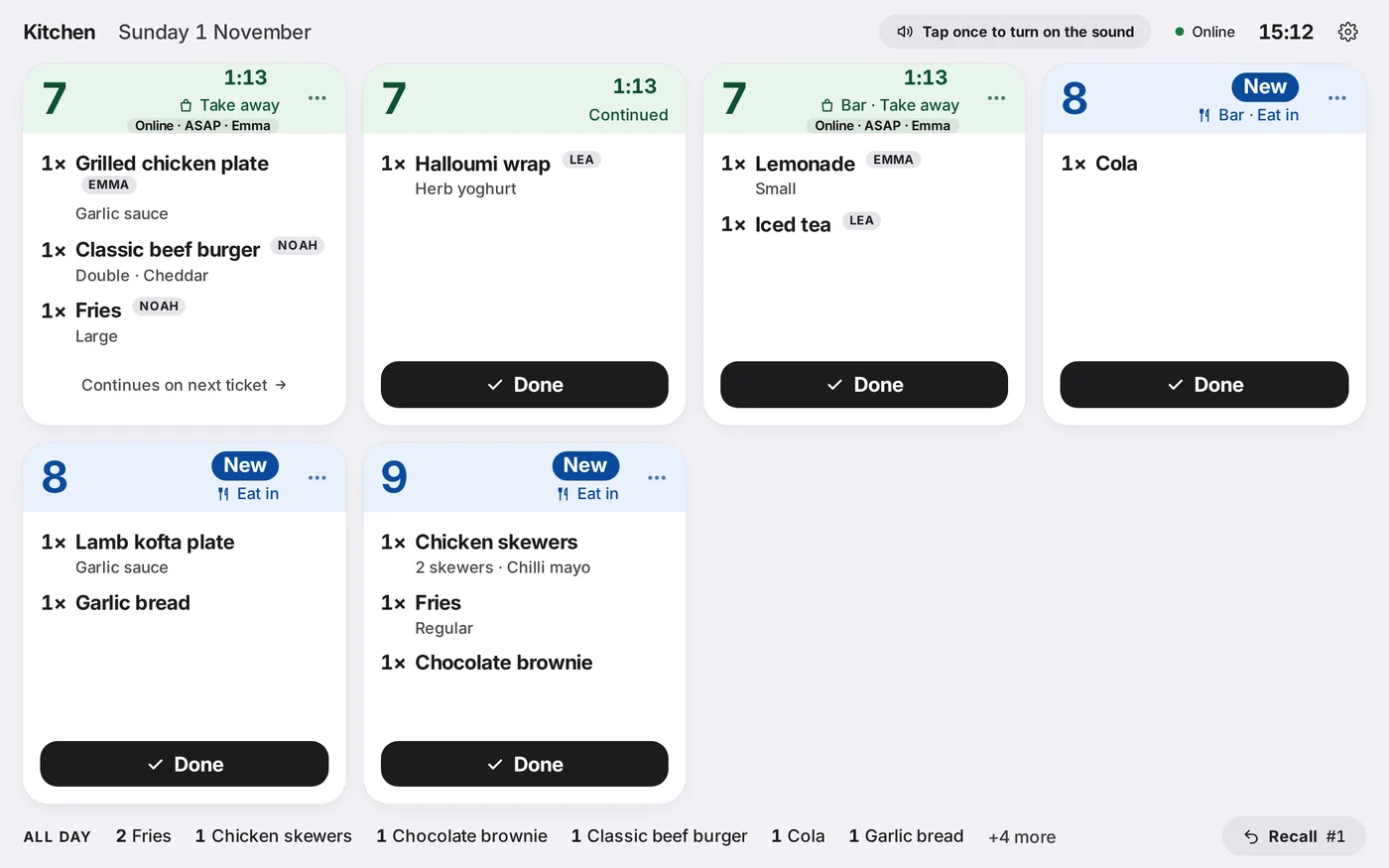
Every order on one screen. Drag tickets to change the order.
Learn more ›Status screen & menu boards
Order numbers on a TV. Menu boards on as many screens as you like.
Learn more ›Hardware & printing
Receipt and kitchen printers and cash drawers in one place. iPads print with no extra box.
Learn more ›Meal deals & promo codes
Build meal deals and promo codes in minutes. They work everywhere.
Learn more ›Customer accounts
Prepaid or pay-later accounts for regulars and companies, approved by you.
Learn more ›Free menu translation
Your whole menu translated automatically, for free.
Learn more ›Back office
Menu builder, settings, staff roles and devices. On a laptop or your phone.
Learn more ›Insights
Prep forecasts, menu engineering and analytics. Import history from your old POS.
Learn more ›Stock & recipes
Recipes per dish, stock that follows your sales, and the true profit of every dish.
Learn more ›Accounting & branches
Daily sales, VAT and payments for your bookkeeper. Every branch in one view.
Learn more ›Events
A client site for your event hall: bookings, quotes, extras and deposits.
Learn more ›Catering
Catering-only dishes for your quotes and packages, and a menu link where clients choose their menu and ask for a quote.
Learn more ›Hall music
Clients pick songs for each moment of their event, or upload their own. A tablet in the hall plays them on the night.
Learn more ›Live support
Chat with a real support team from inside the app. Talk to your own guests too.
Learn more ›Up and running in three steps.
Add your menu
Build it in the back office, or import it from Loyverse. Photos, options, prices — and a free translation into other languages.
Pair your devices
Open the app on a tablet, phone or TV and enter the pairing code. Till, kiosk, kitchen and screens connect in seconds.
Switch on and sell
Turn on the features you want in Settings: kiosk, online ordering, delivery, deals, accounts. Change it any time.
One order, everywhere it needs to be.
A guest orders on the kiosk. The kitchen sees it instantly. The status screen shows the number. The guest's phone shows when it's ready.
Questions, answered.
Do I need special hardware?
No. servi runs on tablets, phones and TVs. Add a receipt printer, a kitchen printer, a cash drawer or a card reader if you want them. Star and Epson cloud printers print straight from an iPad, with no extra box.
Which card readers and payment providers work?
Each restaurant connects its own SumUp or Stripe account. The same account handles card readers at the counter and payments online.
What happens if the internet goes down?
The till keeps taking orders and cash. Everything syncs when the connection comes back.
Can I bring my sales history?
Yes. Import a CSV export from your previous POS, so your reports and forecasts start with real history.
Which languages are supported?
The kiosk and ordering pages speak English, Dutch, French and Hebrew (right-to-left included). Menu translations are automatic and free.
Is it only for Belgium?
No. Currency, tax rates and units are settings per business, so servi works wherever you are.
How much does it cost?
Book a demo and we'll walk you through the pricing for your business.
Ready when you are.
Tell us about your restaurant and we'll show you servi on your own menu.