Insights
Know what to prep, what sells and what earns. Bring your history from your old POS and start with real numbers.
The numbers that matter
Revenue, orders and average ticket by day, channel and hour, with your best sellers.
- Sales by channel and hour
- Top items
- Customers and repeat visits
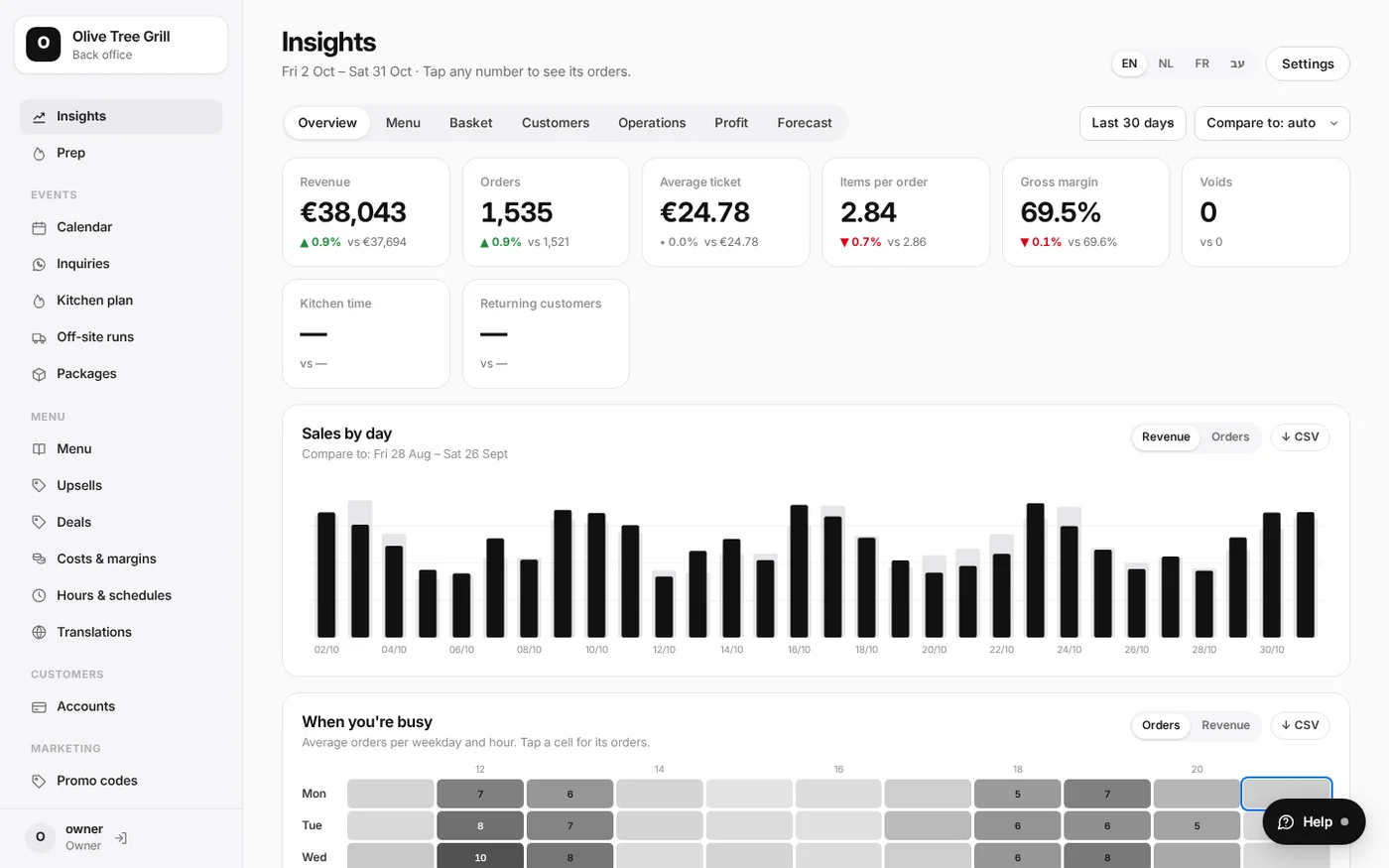
Profit on every sale
Type what one portion costs, item by item. From then on every sale shows its profit, and the Profit page shows revenue, food cost and margin per day, item and category. No recipes needed.
- Cost per item, size and option
- Margin targets
- Profit per day, item and category, with CSV
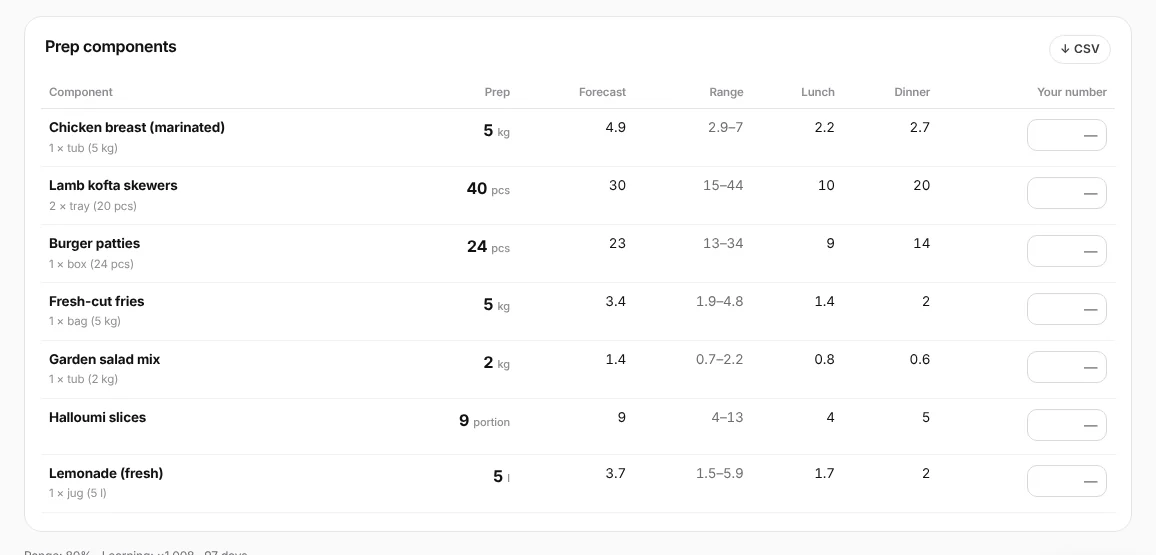
Prep forecast
See how much to prep for lunch and dinner, based on what you actually sell.
- Forecast per prep item
- Lunch and dinner split
- Shows how accurate past forecasts were
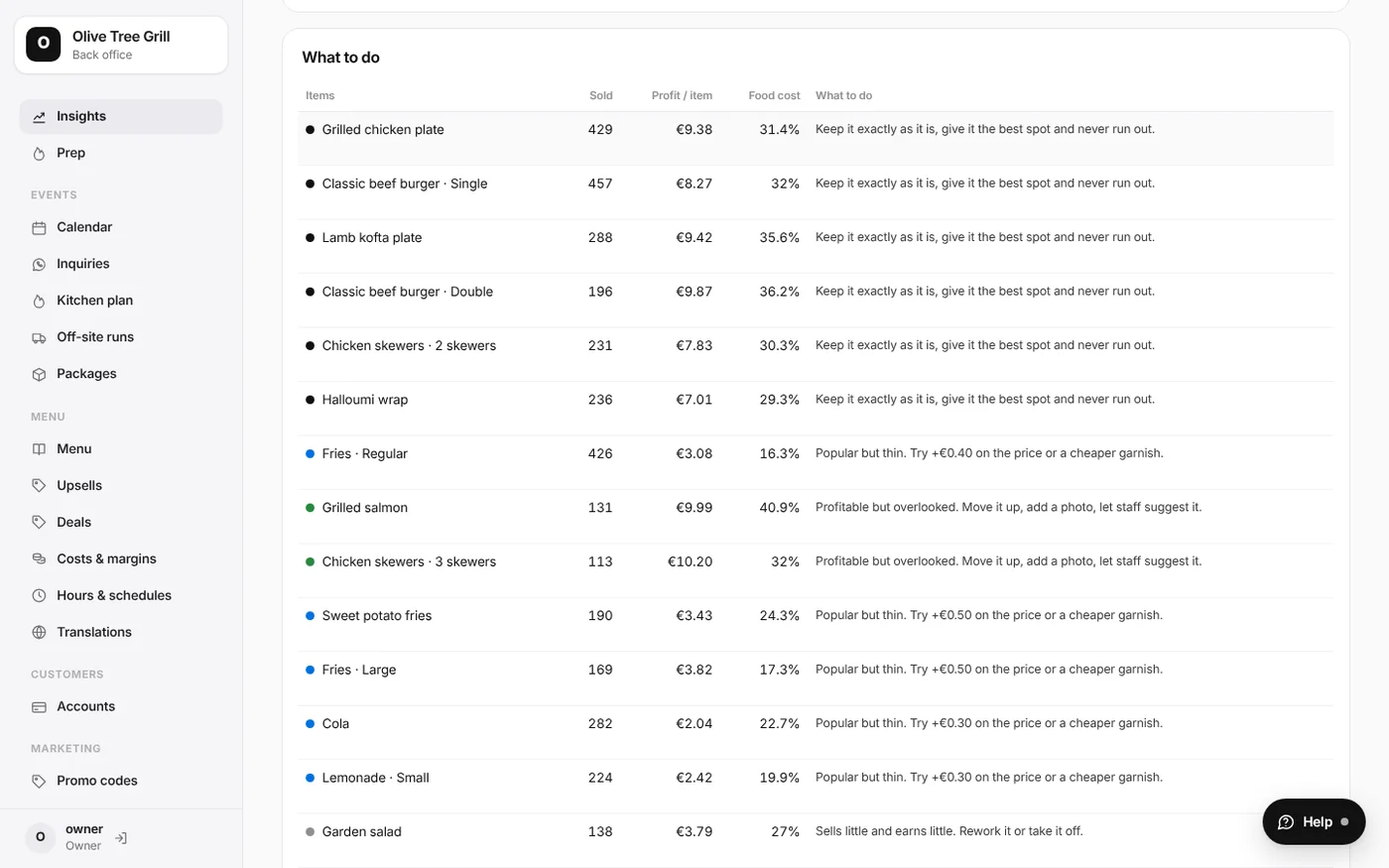
Menu engineering
See which dishes are stars, which are puzzles and which to rethink.
- Popularity and margin together
- Clear groups for every item
- Based on your real sales
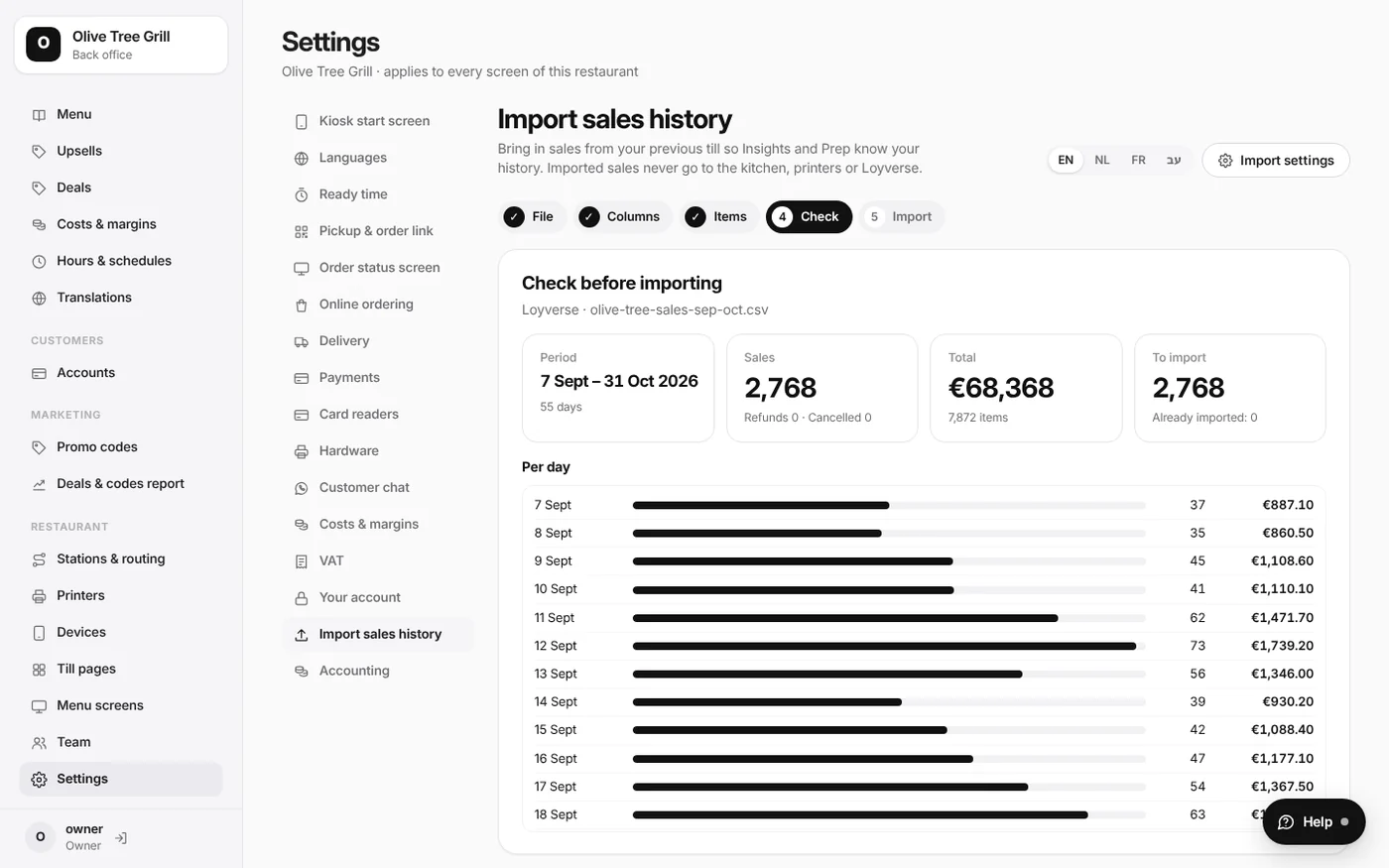
Import your sales history
Upload a CSV from your previous POS. Match the columns, check the preview, import.
- Presets for common exports
- Preview before importing
- See exactly what will be imported
More features
Stock & recipes
Recipes per dish, stock that follows your sales, and the true profit of every dish.
Learn more ›Accounting & branches
Daily sales, VAT and payments for your bookkeeper. Every branch in one view.
Learn more ›Events
A client site for your event hall: bookings, quotes, extras and deposits.
Learn more ›Ready when you are.
Tell us about your restaurant and we'll show you servi on your own menu.